

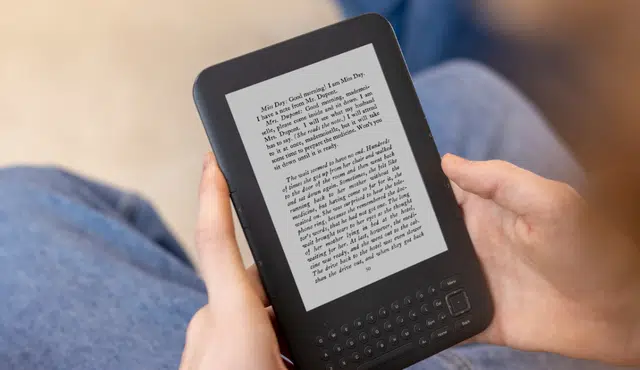
If your Kindle has sat untouched, you still hold something buyers or Amazon trade-in will pay for — value depends on model, condition, and whether it powers on.
A recent Kindle in good condition can fetch a meaningful trade-in credit or resale price in 2026, while older or damaged units still have modest value or useful repurpose options.
This post will show how to quickly estimate what your specific Kindle is worth, walk through practical options—keep using it, sell it, trade it in to Amazon, or repurpose it—and explain which choice tends to return the most money or utility.
You’ll get clear steps to check model and condition, realistic price ranges, and tips to prepare your Kindle for the best offer.
Understanding the Current Value of Your Old Kindle
You’ll want to check model, condition, and market demand first. Those three factors drive how much cash or trade credit you can realistically expect.
What Affects Kindle Resale Prices in 2026
Condition matters most: a fully working Kindle e-reader with no screen cracks, functioning buttons, and only light cosmetic wear fetches the highest value. Batteries that hold a charge and a clean device reset increase resale price. Missing accessories (charger, original box) reduce offers by roughly 10–25% on reseller sites.
Age and model year also matter. Older basic Kindles from 2013–2016 commonly sell for under $20, while later Paperwhite and Oasis models often start around $30–$80 used, depending on condition and storage capacity. Market timing influences price: new Amazon deals or model launches temporarily depress used values.
Software support and DRM limits affect appeal. Devices that no longer receive firmware updates or can’t access current Kindle features command lower bids from buyers who value long-term usability.
Model Comparison: Kindle, Kindle Paperwhite, Scribe, and Kindle Unlimited
The basic Kindle holds the lowest resale value among Amazon’s lineup. You’ll see small returns for older basic Kindles; typical used listings range $5–$40 depending on condition and whether Wi‑Fi-only or cellular.
Kindle Paperwhite retains value better because readers prize the higher-res screen and waterproofing. Recent Paperwhite generations (2018 onward) often sell for $40–$120 used. Paperwhite Kids and Signature Edition variants can command modest premiums.
Kindle Scribe (with writing capability) still commands higher secondhand prices due to its niche: note-taking and larger screen buyers pay more. Expect used Scribe prices significantly above Paperwhite, often 30–60% higher for comparable condition.
Kindle Unlimited is a subscription service, not a device, but its availability and promotions influence device demand. When Amazon bundles long free or discounted Kindle Unlimited trials with new devices, resale prices for older e-readers can dip briefly as buyers wait for discounted new units.
How Amazon’s 2026 Policy Changes Impact Your Device
Amazon’s 2026 adjustments to trade-in credits and firmware support affect your options. Trade-in discounts that apply toward new Kindle purchases now commonly include a percentage off (e.g., 15–20%) plus a base cash value for nonworking units. That means even broken old Kindles can get minimal trade-in value plus a coupon toward a new Paperwhite or Scribe.
Firmware support policies may shorten update windows for very old models. If Amazon no longer pushes critical updates to your Kindle, buyers will reduce offers because of compatibility and security concerns. Devices still receiving updates remain more attractive to resale buyers.
Amazon’s promotional cycles also matter. Prime Day or heavy Kindle deals reduce used-device demand temporarily because buyers opt for discounted new units. Timing a sale to avoid major Amazon promotions usually improves the price you receive.
Where and How to Check Your Kindle’s Market Value
Start with Amazon’s official Trade-In page to get an instant estimate for your model and condition; it often shows both cash and trade credit options. For broader cash offers, compare marketplaces: eBay sold listings reveal real sale prices, while reseller sites like BuyBackWorld and SellCell aggregate direct-buy quotes.
Use these steps:
1) note exact model, storage, and whether it’s Wi‑Fi or cellular
2) fully reset and photograph your Kindle—clear photos raise buyer confidence
3) search recent completed listings on eBay for similar condition units
4) check trade-in value on Amazon and at buyback aggregators.
Factor fees and shipping into net value. Marketplace listings may show higher gross prices, but fees and packing costs reduce your take-home amount. Don’t forget local options: community marketplaces and Buy Nothing groups can yield faster sales with no seller fees.
Options for Old Kindles: Use, Sell, or Upgrade
You can keep using an older Kindle, move your library to other devices and apps, or convert the device into a secondary gadget. Each choice has trade-offs in reading experience, value recouped, and time required to prepare the device.
Transferring, Storing, and Reading Books on Unsupported Devices
If your Kindle no longer receives updates or loses store access, you can still read books by transferring files directly. Use a USB cable to copy MOBI, AZW3, or EPUB (converted with Calibre) to the Kindle’s “documents” folder. For cloud access, download purchased titles from your Amazon account on another device like an iPad, Android phone, Windows PC, or HP laptop and then sideload files.
Install the Kindle app on iOS or Android to read your Amazon purchases with sync, collections, and Whispersync across phone, tablet, and Windows. Audiobooks work through the Kindle or Audible apps on iPhone/Android if the hardware supports audio. Keep a backup: export your collections and copy downloaded files to a desktop or external drive for long-term storage.
Restoring, Cleaning, and Maintaining Your Kindle
Start with a soft reset: hold the power button 20–40 seconds until the device reboots. Charge with a known-good USB-C or micro-USB cable and a 5–10W charger; replace the battery only if the device won’t hold a charge. Use compressed air and a microfiber cloth to clean ports and the e-ink screen gently; avoid liquid cleaners directly on the display.
For software issues, deregister, factory-reset, and then re-register to your account to clear persistent glitches. Replace worn screen protectors and consider a new case to prevent future damage. If the screen has ghosting, perform a display refresh in settings or try a full reset. For physical repairs beyond battery or case, compare local repair shops versus trade-in value before spending more than resale would return.
Alternatives: Kindle App, Tablets, and Other Ereaders
You can move your reading to the Kindle app on iPhone, iPad, Android phones, or Windows and macOS devices for color displays, adjustable fonts, and accessibility features. Tablets like iPad or Android slates add web, video, and AR/AI-driven reading aids; they also play podcasts and audiobooks with earbuds or speakers.
Consider other e-readers (Kobo, Kobo Clara, or Onyx) if you want open EPUB support or larger screens for PDFs. Compare features: waterproofing, warm front lighting, and native EPUB versus Kindle’s ecosystem. Use a tablet or monitor as a secondary reading surface when you want color images or to run smart-home controls (smart lights, Ring) while you read. Evaluate whether you need portability and battery life from an e-ink device or the multimedia versatility of tablets.
Recycling, Repair, and Trade-In Programs
If you decide not to keep the device, check Amazon’s Trade-In program to get an Amazon.com gift card or discount toward a new model by answering condition questions online. For cash offers, compare buyback sites like Gazelle or SellCell for the best price. If the Kindle is nonfunctional, Amazon and many retailers offer recycling or refurbishing options.
For repairs, request quotes from manufacturer-authorized centers or local electronics repair shops; battery or screen replacement may be cheaper than buying new but rarely exceeds trade-in credit. When trading in, back up and factory-reset the device, remove your account, and wipe personal data. You can start an Gizmogo Trade-In at the Gizmogo Trade-In page.