

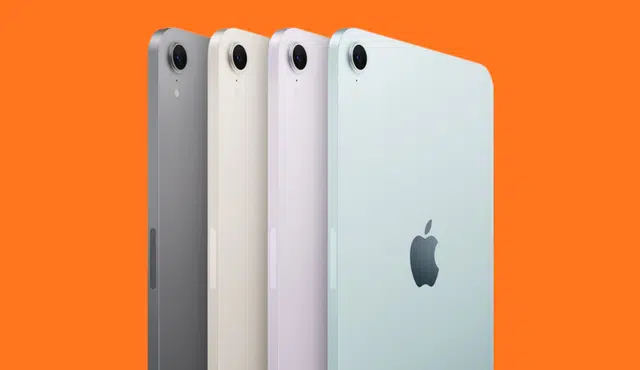
If you want to sell your iPad quickly and get reliable payment, Gizmogo simplifies the process and handles shipping, inspection, and fast payouts so you can move on without hassle.
You can get a competitive instant quote online, ship for free with an insured label, and receive payment promptly after inspection.
This article walks you through why Gizmogo is a practical choice for turning your iPad into cash, explains the secure step‑by‑step selling flow, compares available payment methods, and offers simple tips to help you maximize the offer.
Expect clear guidance so you can choose the fastest, safest way to sell your iPad and keep more of its value.
Why Sell Your iPad with Gizmogo
You can turn your iPad into cash quickly, get a clear price based on model and condition, and ship it for free with prepaid labels. Expect straightforward steps, multiple payment options, and handling of devices in any condition.
Top Benefits of Selling with Gizmogo
You get an instant quote specific to your iPad model (e.g., iPad Air 4th Gen 64GB Wi‑Fi) and condition, so you know the expected payout before shipping. Gizmogo accepts working, damaged, or broken units, which broadens your options if the screen, battery, or ports are faulty.
Free prepaid shipping via UPS/USPS/FedEx reduces hassle and cost. Gizmogo offers several payment methods—Zelle, PayPal, e-check, check, Amazon gift card—so you can pick what fits you. Evaluation process adjusts payment only for undisclosed defects or incorrect model/condition entries, which keeps transactions transparent.
If you prefer comparing offers, you can check how Gizmogo’s quoting and trade-in workflow stacks up against other buyback services on Gizmogo’s tablet trade-in page: Sell iPad for Maximum Cash.
Resale Value and Market Timing
Your iPad’s resale value hinges on model, storage, connectivity (Wi‑Fi vs. Cellular), and cosmetic/functional condition. Newer iPad Pro and Air models with higher storage keep value longer; older generations drop faster after Apple releases updates or new hardware. Listing the exact model number and selecting the correct condition on Gizmogo’s form helps lock in a more accurate quote.
Timing matters: sell before Apple announces a new generation or during back‑to‑school and holiday buying windows to capture higher demand. Including original charger and box can increase the offer. If your device has minor cosmetic issues, cleaning the screen and removing a scratched protector often improves the grade without repairs.
Sustainable and Eco-Friendly Practices
By selling your iPad to a buyback and recycling operator like Gizmogo, you directly reduce electronic waste and extend your device’s useful life. Devices that aren’t resold are routed to proper recycling streams, where valuable materials are recovered and hazardous components are handled safely.
Gizmogo’s process encourages reuse by accepting devices in any condition and repairing or refurbishing where possible. That lowers the number of tablets ending up in landfills and cuts the carbon footprint compared with manufacturing new units. Your choice to sell contributes to a circular electronics economy and helps reduce electronic waste.
The Fast and Secure Gizmogo Selling Process
You’ll get an instant online quote, prepare your device for sale, ship it using a prepaid label at no cost, and receive a final offer after inspection. Each step emphasizes speed, data safety, and clear payout options so you know exactly what to expect.
How to Get an Instant Quote
Enter your iPad model, storage size, connectivity (Wi‑Fi or Wi‑Fi + Cellular), and condition on Gizmogo’s quote form to receive an instant online quote. Be precise about visible damage, battery health, and whether accessories are included—those details affect the offer immediately.
If your exact model isn’t listed, select “Unknown Device” or the closest match and add notes. The instant quote stays valid for a limited time, so lock in the price promptly if you accept. For more details about accepted models and quotes, visit Gizmogo’s sell iPad page.
Preparing Your iPad for Sale
Back up your data to iCloud or a computer, then erase all content by tapping Settings > General > Transfer or Reset iPad > Erase All Content and Settings. Turn off Find My and sign out of iCloud to avoid activation lock; Gizmogo cannot pay for locked or iCloud‑protected devices.
Remove SIM cards and any accessories not included in the sale. Clean the screen and casing and remove screen protectors to avoid downgraded grading for hidden scratches. Include original charger or box only if it increases your quoted value.
Shipping: Free and Prepaid Label
After you accept the instant quote, Gizmogo emails a prepaid shipping label you can print or use for carrier pickup. Shipping is free via major carriers and the label covers the cost, so you don’t pay out of pocket.
Package the iPad securely with padding and tape to prevent damage in transit. Keep the tracking number and follow the shipment until it reaches Gizmogo. Free shipping paired with insured transit reduces risk and speeds the process.
Device Inspection and Final Offer
Gizmogo performs a technical and cosmetic inspection on arrival, checking screen condition, ports, battery, and internal components. If they find undisclosed damage or a different model/condition, they will send a revised final offer showing the adjustments.
You can accept the final offer for immediate payment via available methods or request your device returned if you decline. Gizmogo processes secure transactions and lists payment options clearly before you accept the final amount.
Payment Options and Receiving Your Cash Fast
Gizmogo gives you multiple ways to get paid, typically within days of device arrival. You can choose instant electronic methods or traditional checks, and the company provides clear steps to protect your personal data during payout.
Multiple Payment Methods Explained
You can pick the payment method that best fits your timing and security needs. Available options include Zelle, PayPal, Amazon Gift Card, check, and eCheck. Each method has trade-offs: Zelle and PayPal move funds quickly to your bank or app account, while an Amazon Gift Card is immediate but limited to Amazon purchases.
If you prefer a physical option, select a mailed check; expect slower delivery but a clear paper trail. eCheck offers an electronic bank transfer alternative with standard clearing times. Verify your account details carefully when choosing any method to avoid delays.
Gizmogo lists payment choices during checkout so you can compare speed and convenience. Choose instant transfers for fastest access, or a check if you need transaction documentation.
Fast and Reliable Payment Processing
Gizmogo processes payments after your iPad passes the technical evaluation. For instant methods like PayPal or Zelle, you often receive funds the same day the sale is finalized. For eCheck and mailed checks, expect 1–7 business days depending on bank processing and postal delivery.
You should track the status in your Gizmogo account to see when the evaluation completes and payment issues. If you need payment faster, select an instant electronic option and confirm your account info before shipping. Keep a copy of the pickup or drop-off receipt until payment posts.
If payment is delayed, contact customer support with your order number and evaluation notes; common delays stem from mismatched banking details or undisclosed device issues.
Ensuring Safe and Secure Transactions
Protecting your data and avoiding fraud matters more than speed. Before shipping, back up your iPad, sign out of iCloud, and perform a factory reset so your personal information isn’t part of the transaction. Note: devices with Find My iPad active may be rejected or returned.
Use payment methods tied to verified accounts (your bank, PayPal, or Zelle) to reduce the risk of misdirected funds. Never share passwords or one-time codes with anyone claiming to be a buyer or processor. Keep emails from Gizmogo that include the prepaid shipping label and payment confirmation for your records.
If you suspect tampering or a payment issue after the device is received, escalate immediately with Gizmogo support and your payment provider. Clear documentation — order numbers, photos of device condition, and communication logs — speeds resolution.
Tips to Maximize Your iPad’s Value
Prepare the device, gather original items, and choose the best sale route to capture the highest resale value. Focus on condition, included accessories, and whether a trade-in or direct sale fits your timeline and price goal.
Optimizing Device Condition
Clean the screen and case with a microfiber cloth and isopropyl wipe to remove oils and smudges. Replace a cracked screen or faulty battery only if repair cost is significantly less than the expected increase in resale value.
Remove any screen protectors and cosmetic debris so photos show the true condition. Back up and then erase your iPad (Settings > General > Transfer or Reset iPad > Erase All Content and Settings). Disable Find My and sign out of iCloud to avoid activation lock issues.
Fix small, inexpensive issues like a loose charging port or non-responsive button when it materially affects usability. Be honest in your listing about scratches, dents, or functional problems; buyers and trade-in services adjust offers based on actual condition.
Including Documentation
Gizmogo may ask you to provide proof of purchase or original receipts when available to reassure authenticity and ownership.
Label and package items neatly prior to shipping. Use original packaging when possible to reduce transit damage and avoid deductions during inspections by buyback services.
Understanding Trade-In vs. Direct Sale
Trade-ins deliver speed and convenience; you get an instant quote and prepaid shipping, which suits quick upgrades. Use a reputable buyback program if you prioritize a hassle-free process over maximum cash; compare quotes before committing.
Direct sale (peer-to-peer) typically yields higher prices but requires time for listing, negotiating, and secure payment handling. Set a clear asking price based on model, storage, and condition; include multiple high-quality photos and specify whether you accept local pickup or shipping.
Consider hybrid options: list privately and accept a trade-in offer if your timeline shortens. If you choose a buyback service, confirm their condition grading and payment options before shipping — read their policies to avoid surprises.