

Every new Gizmogo account gets $5 on their first order!
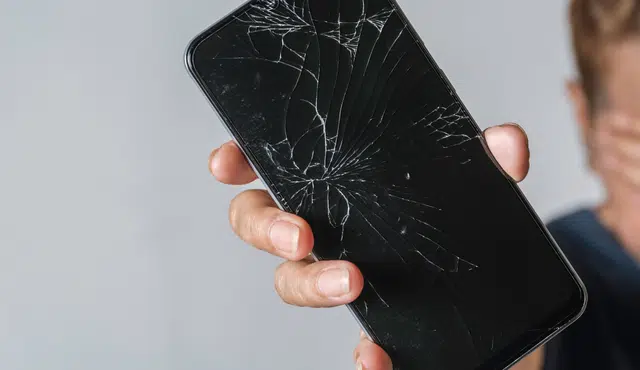
A damaged phone can still hold value, even with a cracked screen, battery problem, or other faults. You can sell a broken phone for cash through Gizmogo’s phone buyback program, provided the device meets its acceptance requirements.
The amount you receive depends on the phone’s model, condition, storage, and working features. Learn how Gizmogo evaluates broken mobile phones, how to prepare your device before shipping, and why comparing cash offers helps you make an informed choice.
How Gizmogo Values and Buys Damaged Phones
Your offer depends on the phone model, its condition, account status, and whether technicians can reuse or repair its components. You can receive an estimate online, ship the device without paying postage, and review any adjusted offer after inspection.
What Affects a Broken Phone’s Offer
Gizmogo starts with your device’s exact model, storage capacity, carrier status, and selected condition. A newer Apple iPhone or Samsung Galaxy typically has more resale and component value than an older model because its parts may remain useful for repair or refurbishment.
Physical and functional condition also affects the offer. A cracked screen may reduce the price, but a phone that powers on, charges, has working cameras, and responds to touch can retain more value than a broken device with several failures.
You should also remove activation locks before selling. iPhones must have Find My and iCloud removed, while Samsung and other Android phones need any Google Factory Reset Protection lock removed. Gizmogo may decline phones that are blacklisted, reported lost or stolen, or still linked to an owner account, as explained in its guide to selling damaged and broken phones.
Damage Types That May Still Have Value
Many damaged phones remain sellable when the issue affects only one area. Common examples include cracked screens, worn batteries, damaged charging ports, faulty buttons, speaker problems, camera defects, and cosmetic dents or scratches.
Water damage can lower the offer because corrosion may affect internal circuits over time. Still, a water-damaged iPhone or Samsung Galaxy may have usable parts, particularly if it turns on and its display, motherboard, cameras, or housing remain intact.
Do not pay for a repair automatically before you sell. Compare the repair cost with the likely increase in resale value; a costly screen replacement may not add enough value to justify the work. Accurately reporting third-party screens, replacement batteries, or other non-original parts helps prevent a condition-based adjustment after inspection.
Getting an Instant Quote and Sending Your Device
Use Gizmogo’s online catalog to select the brand, model, storage size, and condition of your phone. Choose the damaged option when the device has a cracked screen, battery issue, water damage, software failure, or another defect that prevents normal use.
The initial figure is an estimate based on the details you provide. Taking clear notes about faults before requesting instant quotes helps you select the closest condition and gives the evaluator a more accurate starting point.
After you accept the preliminary offer, Gizmogo provides a prepaid shipping label for free shipping. Before packing your phone, back up personal data if possible, sign out of all accounts, erase the device, remove the SIM card, and pack it securely. Its online electronics buyback process includes inspection after the device arrives.
When to Expect Fast Payment
Gizmogo inspects your phone after delivery to confirm its model, condition, account status, and functionality. If the inspection matches the information in your quote, the company can proceed with payment under the offer terms.
If technicians find additional damage, water exposure, account locks, or replaced components that you did not report, Gizmogo may issue a revised offer. You can review that amount and decide whether to accept it rather than being required to complete the sale.
For the quickest processing, send an unlocked device with no active iCloud, Google, or Samsung account and describe every major issue before shipping. Available payment options, including whether services such as PayPal or Zelle appear, can depend on the options Gizmogo presents during your transaction.
Prepare, Compare, and Sell Responsibly
Protect your personal information, confirm that the device can be transferred legally, and compare the net value of each selling method. If a sale does not make financial sense, choose repair, reuse, or certified electronics recycling.
Back Up Data and Remove Find My
Back up anything you need before you sell your phone, even if it has a cracked display or intermittent charging. Use iCloud, Google One, a computer backup, or a manufacturer transfer tool to save photos, messages, contacts, authentication codes, and documents.
Then sign out of your Apple ID, Google account, and other accounts that can lock the device. On an iPhone, turn off Find My before erasing it; this removes Activation Lock. On Android, remove your Google account before the factory reset to avoid Factory Reset Protection (FRP).
After your backup completes, erase the phone through its settings menu. Remove the SIM card and any microSD card, and reset a cellular Apple Watch paired to the phone if applicable.
Do not give a buyer your passcode, account password, or recovery codes. A legitimate buyer can inspect a device without access to your personal accounts.
Check Eligibility, Locks, and Carrier Status
Confirm that you own the device and that its IMEI or serial number is clean before requesting an offer. Buyers commonly reject phones reported lost or stolen, blacklisted devices, and units still tied to an active Apple or Google account.
Check the phone’s carrier status in Settings or through your carrier account. A paid-off, unlocked phone usually has more resale options than a financed device restricted to one network. If you still owe a balance, ask your carrier whether it permits an unlock or transfer after payoff.
A damaged but functional device may still qualify for a cash offer. Gizmogo’s broken-phone guidelines indicate that cracked screens, battery problems, charging issues, and certain software faults can retain value, while account-locked or blacklisted phones may not be eligible.
Describe prior repairs accurately, especially replacement screens, batteries, cameras, or charging ports. Non-original parts can change the quote, and undisclosed damage can lead to a revised offer after inspection.
Compare Online Buyers, Stores, and Kiosks
Compare the final amount you receive, not just the first advertised quote. Online buyers can offer prepaid shipping and a remote inspection process, while a carrier store may provide immediate trade-in credit rather than cash.
Use Google Maps to identify nearby phone shops, then check whether they buy broken devices and whether they test phones while you wait. Ask if their offer changes for screen damage, water indicators, poor battery health, or a failed Face ID, fingerprint reader, camera, or charging port.
Kiosks such as ecoATM provide convenience, but they may offer less for a working phone or recent model than a specialist buyer. Compare at least two or three offers for the same model, storage size, carrier status, and condition.
If you plan to sell used electronics online, check whether the buyer also accepts items such as an iPad, MacBook, or gaming consoles. Selling several devices through one transaction may reduce the time you spend packing and shipping, but evaluate each quote separately.
Repair or Recycle When Selling Is Not Practical
Repair first only when the expected increase in resale value exceeds the full repair cost. Obtain a written estimate for parts, labor, taxes, and diagnostic fees; a low-priced screen repair can uncover additional damage, particularly after water exposure or a hard drop.
For an older phone, replacing a battery or display may cost more than the device’s likely resale value. You may get more practical use by repairing a phone you intend to keep than by fixing it solely to sell your phone.
If a buyer declines the device because of severe board damage, a blacklist, or an unrecoverable lock, do not discard it in household trash. Remove any accessible battery only if the manufacturer’s instructions permit it, and take swollen or damaged batteries to an appropriate battery-recycling location.
Choose a recycler that handles used electronics responsibly and follows local requirements. If the phone still works but has little cash value, consider donating it after completing the account-removal and factory-reset steps.