

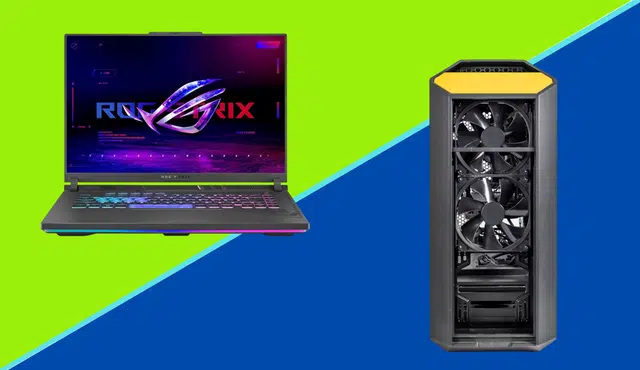
Choosing between a gaming laptop and a desktop is one of the most common decisions a new or upgrading gamer faces. The right answer is not the same for everyone — it depends on how you play, where you play, and what you plan to spend. This guide breaks down every major factor so you can make a confident decision, and explains what to do with your current setup if you’re ready to upgrade.
What Is the Core Difference Between a Gaming Laptop and a Desktop?
A gaming laptop packages all components — screen, keyboard, GPU, CPU, and battery — into a portable unit. A gaming desktop separates these components, allowing for a larger, more powerful build that sits in one place.
The trade-off is straightforward: laptops offer mobility, desktops offer power and value. Every other difference between the two flows from that fundamental distinction.
Portability: The Laptop's Defining Advantage
For gamers who travel frequently, commute, attend LAN parties, or simply want the flexibility to play from different rooms or locations, a gaming laptop has no competition. You carry your entire gaming setup in a single bag.
Desktops require a dedicated space, a monitor, peripherals, and a power source. Relocating a desktop setup is a significant undertaking compared to closing a laptop lid and walking out the door.
Who this matters for: Students, frequent travelers, gamers who play in multiple locations, and anyone without a dedicated gaming space.
Who it does not matter for: Home-based gamers with a fixed setup who never need to move their system.
Performance: Where Desktops Have the Edge
At the same price point, a desktop will almost always outperform a gaming laptop. The reasons are practical: desktops have more physical space for larger, more powerful components, better cooling systems, and no thermal or battery constraints limiting component performance.
At a $1,000 budget, a desktop can typically accommodate a more powerful GPU and CPU than a laptop at the same price. Processors like the AMD Ryzen 7 and Intel Core i7 in desktop form run faster and handle more simultaneous tasks than their mobile counterparts. Desktop GPUs from the NVIDIA GeForce RTX and AMD Radeon RX lines deliver higher frame rates and better visual fidelity than mobile versions of the same chips.
That said, the performance gap has narrowed meaningfully in recent years. Modern gaming laptops with dedicated mobile GPUs can handle most current titles at high settings. The gap is most visible in CPU-intensive open-world games, games with large simultaneous asset loads, and heavily modded titles.
Winner: Desktop for raw performance at equivalent price. Laptops are competitive for most mainstream titles.
Upgradability: A Long-Term Consideration
A desktop is built to be upgraded. GPU, CPU, RAM, storage, and cooling can all be swapped out as new technology becomes available or as your gaming needs grow. This means a desktop purchased today can stay relevant for significantly longer than a laptop — you simply replace the components that fall behind rather than replacing the entire system.
Gaming laptops offer limited upgradability. In most models, the CPU and GPU are soldered directly to the motherboard and cannot be replaced. RAM and storage are sometimes upgradable, but the core performance components are fixed at the time of purchase.
For gamers who want to protect their investment over four to six years, a desktop is the stronger choice. For gamers who upgrade their entire system every two to three years regardless, the laptop’s upgrade limitation is less of a factor.
Winner: Desktop by a wide margin for long-term value and longevity.
Cost-Effectiveness: Getting the Most for Your Budget
At the same price, a desktop delivers more performance than a laptop. However, a laptop includes components that a desktop does not: a built-in screen, keyboard, and trackpad. For a desktop to be fully functional, you need to budget for a monitor, keyboard, and mouse separately — costs that can add $150 to $300 or more to the total.
When accounting for these additional purchases, the price difference between a fully equipped laptop setup and a fully equipped desktop setup narrows considerably at the $1,000 level.
Desktop still wins on performance per dollar when comparing identical total spend. But the gap is smaller than the component specs alone suggest.
Budget breakdown at $1,000:
| Item | Gaming Laptop | Gaming Desktop |
|---|---|---|
| System cost | $1,000 | $700–$800 |
| Monitor | Included | $150–$250 |
| Keyboard and mouse | Included | $50–$100 |
| Total spend | $1,000 | $900–$1,150 |
| Performance for spend | Moderate | Higher |
Winner: Desktop on performance per dollar. Laptop on all-in convenience.
Peripherals and Display Quality
Gaming laptops include a screen, keyboard, and trackpad — but the quality of these built-in components is typically lower than dedicated gaming peripherals at the same price point.
Laptop displays tend to have smaller screen sizes and lower refresh rates than standalone gaming monitors designed for competitive play. Laptop keyboards, while functional, rarely match the tactile feel, customization, or durability of mechanical keyboards built specifically for gaming. The trackpad is not a substitute for a gaming mouse in any meaningful way.
Desktop setups allow you to choose every peripheral independently, which means you can prioritize where your money goes — a high refresh-rate monitor for fast-paced games, a mechanical keyboard for feel, or a precision gaming mouse for accuracy.
Winner: Desktop for peripheral quality and customization. Laptop for convenience and included cost.
Buying Refurbished: Stretching Your Budget Further
Regardless of which direction you go, purchasing a refurbished or used system is one of the most effective ways to get more performance for your money. A refurbished gaming laptop from one generation back will often outperform a new budget laptop at the same price. A desktop built with quality used components can deliver premium performance at a fraction of new retail cost.
Gizmogo buys and processes used electronics including laptops, making it easy to sell your current device and apply those funds toward your next system.
Get a free quote on your current laptop or device at Gizmogo →
Gaming Laptop vs Desktop: Full Comparison
| Factor | Gaming Laptop | Gaming Desktop |
|---|---|---|
| Portability | High | Low |
| Performance at same price | Good | Excellent |
| Upgradability | Limited | High |
| Long-term value | Moderate | High |
| Built-in peripherals | Yes (lower quality) | No (choose your own) |
| Setup complexity | Low | Moderate |
| Customization | Limited | Extensive |
| Best for | Mobile gamers | Home-based gamers |
Which Should You Buy?
Choose a gaming laptop if:
- You need to game in multiple locations
- You are a student, frequent traveler, or lack a dedicated gaming space
- You want a simple, all-in-one setup with no additional purchases required
- You plan to upgrade your entire system every two to three years
Choose a gaming desktop if:
- You game primarily at home in a fixed location
- Raw performance and frame rates are your top priority
- You want to upgrade individual components over time rather than replacing the whole system
- You want full control over peripheral quality and display choice
Ready to Upgrade? Sell Your Current Setup First
Whether you’re moving from a laptop to a desktop, upgrading to a newer system, or switching platforms entirely, selling your current device before buying your next one is the smartest way to reduce out-of-pocket cost. Gizmogo accepts laptops in any condition and provides an instant quote, free prepaid shipping, and payment within 24 hours of offer acceptance.
Frequently Asked Questions
Is a gaming laptop or desktop better for $1,000?
At $1,000, a desktop delivers more raw performance, but a laptop includes a screen, keyboard, and portability that a desktop does not. The right choice depends on whether you need mobility or prioritize performance.
Can a gaming laptop match desktop performance?
Modern gaming laptops have closed the gap significantly, but a desktop at the same price will generally outperform a laptop in CPU-intensive and graphically demanding titles due to better cooling and larger components.
How long does a gaming laptop last compared to a desktop?
A gaming desktop typically has a longer usable lifespan because individual components can be upgraded as needed. A gaming laptop’s CPU and GPU are usually fixed at purchase, limiting how long it remains competitive.
Is it worth buying a refurbished gaming laptop?
Yes. A refurbished gaming laptop from one to two generations back often provides significantly more performance per dollar than a new budget laptop at the same price point.
Where can I sell my old gaming laptop before upgrading?
Gizmogo offers instant quotes, free prepaid shipping, and payment within 24 hours for laptops in any condition.
Upgrading your setup? Sell your current laptop at Gizmogo — instant quote, free shipping, fast payment.