

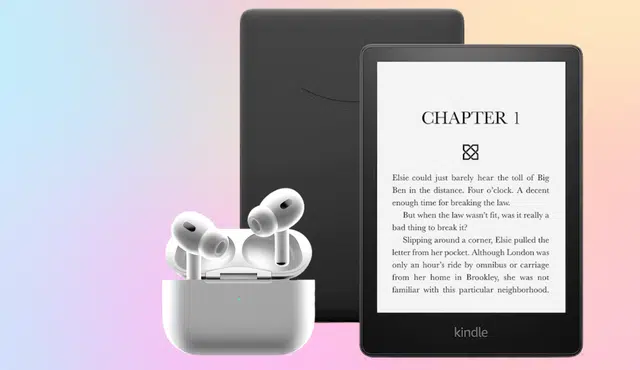
You probably have a Kindle or a pair of AirPods gathering dust in a drawer, and their resale value will only fall the longer you wait. Act now and you can turn that forgotten tech into immediate cash or Amazon credit before batteries degrade and market demand drops.
This post shows why selling those devices now makes sense, how much you might realistically get, and the quickest, safest ways to convert them into money. Expect clear steps and options so you can pick the path that fits your time and desired payout.
Why You Should Sell Unused Kindles and AirPods Now
Selling unused gadgets clears space and puts cash in your pocket while devices still retain value. Acting now captures higher trade-in offers and reduces the risk of damage, loss, or obsolescence.
Depreciation of Old Electronics
Electronics lose value quickly, especially once a newer model arrives. A Kindle or AirPods that’s one generation old can fetch noticeably less in trade-in programs than a current model. Manufacturers release firmware and hardware updates that make older units less desirable to buyers and refurbishers.
Physical wear compounds depreciation. Scratches, battery degradation, and missing accessories (chargers, cases) cut offers further. If you wait, battery capacity will decline and cosmetic flaws worsen, lowering the price you can get from marketplaces like Amazon Trade-In or buyback sites.
Price comparisons change fast. Check competing buyers to see current bid ranges before you list. Listing sooner preserves value and avoids steep mid-cycle drops when retailers discount new models.
Benefits of Decluttering for Cash
Selling frees drawer space and converts idle tech into immediate funds. You can use proceeds to upgrade, cover bills, or buy essentials without accumulating more junk.
Decluttering also reduces hassle. Fewer devices mean fewer batteries to track and less risk of losing chargers or pairing info. Buyers pay more for complete, well-documented items — include original boxes, receipts, and proof of reset to boost offers.
Use a checklist before selling:
- Fully charge and factory-reset the device.
- Clean visible dirt; replace missing tips or cables if inexpensive.
- Photograph all angles and include serial/model info. This small prep can raise your sale price and speed up trade-in processing.
Timing the Sale for Maximum Trade-In Value
Sell before a new model launches or major retail sales begin. Pre-release windows and holiday discounts on new units depress trade-in values afterward. Track release cycles for Kindle models and seasonal AirPods updates; selling in the 6–8 weeks before a rumored launch often yields better offers.
Watch trade-in promotions and bonus-credit periods. Programs sometimes add percentage bonuses for limited times. Compare fixed cash buyers versus store credit — store credit can be higher but only useful if you plan to buy from the same retailer.
Finally, choose the right channel for condition. For a pristine Kindle, manufacturer trade-ins often give higher credit. For a worn or broken unit, specialized buyback services may pay more than general marketplaces. Check multiple quotes and accept the one that balances speed, fee, and net cash.
Best Ways to Turn Kindles and AirPods Into Cash
You can maximize value by choosing the right channel, prepping the device, and setting a competitive price. Prioritize options that give a quick payout, low fees, and secure payment.
Selling Through Trade-In Programs
Trade-in programs give quick credit and often include a free shipping label. Amazon’s trade-in offers digital gift cards for Kindles and some Amazon accessories; check eligibility and condition criteria before you start. Read the device grading rules closely—scratches, missing accessories, or nonfunctional buttons reduce offers.
Other services like Decluttr and manufacturer trade-in portals accept AirPods and pay via direct deposit, PayPal, or store credit. Expect lower returns than peer-to-peer sales but less hassle: you typically answer condition questions, print a prepaid label, and ship. Keep device serials and original packaging if available to get the top quoted value.
Using Online Marketplaces Effectively
List on marketplaces where buyers search for used electronics: eBay, Swappa, Facebook Marketplace, and Craigslist. Use clear, high-resolution photos from multiple angles and include serial/model numbers (while hiding full serials in public listings if you prefer). In your description state exact model, storage (for Kindles), battery condition, pairing status (for AirPods), and whether you include charging case and cable.
Set price by checking completed listings on eBay or current offers on Swappa. Offer local pickup to avoid fees on Facebook Marketplace or Craigslist, or choose calculated shipping on eBay to protect against loss. Use PayPal, Venmo (friends only), or cash for local sales, and confirm buyer protection terms before shipping to a remote buyer.
Local Selling Options for Fast Cash
Sell locally to get immediate payment and avoid shipping risks. Use Facebook Marketplace, Craigslist, or local buy/sell groups to reach nearby buyers. Create a short, direct listing: model name, condition, included items, and firm price; add 2–3 crisp photos and availability window for quick responses.
Meet in public, well-lit places like a bank lobby or police station parking lot for safety. For AirPods demonstrate pairing and battery status; for Kindles show the device turns on and the screen displays content. Accept cash or instant payment apps and consider lowering price slightly for same-day pickup to speed the sale.
Preparing Your Device for Sale
Factory-reset your Kindle or AirPods and remove device registration from your account. For Kindles, deregister the device in Amazon settings and perform a factory reset; for AirPods, reset and unpair from your Apple ID. Clean the device and charging contacts with a soft cloth—photos highlighting cleanliness boost buyer confidence.
Include original box, cables, and any receipts if you have them to increase value. Note battery health and be transparent about screen blemishes or charging issues in the listing. Record the device’s serial number and make a copy of it before handing over; that documentation helps with buyer trust and post-sale questions.