

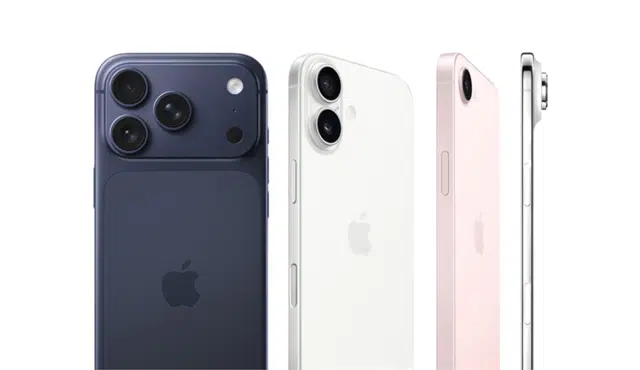
Want to convert your old phone into fast cash without extra hassle? Gizmogo offers instant online quotes, prepaid insured shipping, and quick payouts so you can sell your device with minimal steps and clear pricing. If you want the fastest, simplest way to sell a phone in 2026, Gizmogo’s instant quotes, free shipping labels, and rapid payment options make that possible.
You’ll learn how to complete a sale quickly, boost your device’s trade-in value, and prepare the phone for secure data removal and shipping. The article also explains Gizmogo’s approach to customer satisfaction and environmental compliance so you can sell confidently.
How to Sell Your Phone Fast with Gizmogo
You can get a competitive instant quote, prepare your device to retain value, use a prepaid shipping label or kit, and choose a fast payout method to receive cash quickly.
Getting an Instant Quote
Start at Gizmogo’s website and enter your phone’s model. Answer questions like storage, carrier status, and condition. Small details—correct model number, exact storage (e.g., “iPhone 13 Pro 256GB”), and whether the phone is carrier-locked—make quotes accurate and avoid delays.
Select the device condition honestly; options usually list “New,” “Good,” “Fair,” and “Damaged.” The site will show a preliminary trade-in value instantly; this is your baseline for payment once the device arrives and passes inspection. Save or print the quote page; it often contains an expiration window and instructions for shipping.
Understanding Device Condition and Valuation
Device condition drives most of the price. Check for screen cracks, water damage indicators, battery health, and cosmetic wear before you accept an offer. Note items that reduce value: non-original screens, unresponsive buttons, or missing accessories like a SIM tray.
When you describe damage, use precise language—“minor corner scuff,” “single hairline screen crack,” or “battery at 85% maximum capacity.” Gizmogo inspects devices on arrival and adjusts valuation; accurate reporting minimizes surprises and speeds payout. Keep device backups and perform a factory reset per their data-erase guidance before shipping.
Securing Free Prepaid Shipping and Packaging
Gizmogo provides a prepaid shipping label once you checkout. Follow packing instructions on the confirmation page to avoid damage claims. Use the provided shipping label or the supplied shipping kit if you requested one; a kit may include padding and a box sized for phones to prevent movement in transit.
Attach the printed label to the sealed package and drop it at the carrier specified or schedule a pickup if available. Keep the tracking number shown after you create the shipment; tracking is essential to confirm delivery and speed inspection. Retain proof of drop-off until Gizmogo confirms receipt and inspection of the phone.
Fast Payment Methods and Payout Timeline
After inspection, Gizmogo pays according to your chosen method—common options include PayPal and Zelle. Pick the method you use frequently and ensure account details match your Gizmogo profile to avoid delays. Some payment methods process within 24 hours of approval.
Monitor your email for the inspection result and payment notification. If the device condition differs from your quote, Gizmogo will propose an adjusted offer; you can accept, decline, or request return shipping (which may be paid or charged depending on their policy). Choose instant payout when available for the fastest access to funds.
Optimizing Trade-In Value and Timing in 2026
Plan timing around major launch windows and sales events, document device condition thoroughly, and choose the channel that matches your need for speed versus top payout.
When to Sell Your Phone for Highest Return
Sell within the 60-day window before a flagship launch to capture peak demand and higher trade-in values. For iPhone models, aim to list or lock quotes in late July through early September ahead of Apple’s September event. For Samsung Galaxy and many Android flagships, sell 2–3 months before expected announcements in late January/early February or mid‑year refreshes.
Monitor live quote tools and set price alerts so you can lock a rate when it spikes. Compare carrier credits, buyback services, and private-sale offers; carriers sometimes post large promotions but may pay via bill credits over months. If you need immediate payout, favor buyback services; if you want top cash, pursue a private sale.
Improving Your Phone’s Value Before Trade-In
Prepare a clean, documented device to avoid automatic deductions. Back up data, remove accounts, disable Activation Lock/Find My, erase the device, and capture screenshots showing the wipe date and battery health. Include IMEI/ESN checks to confirm the device isn’t blacklisted or reported stolen.
Fix minor issues only if the repair cost is less than the uplift in trade-in value—screen replacements often net a higher tier but calculate repair vs. added payout first. Provide high-resolution photos of the phone from all angles and a short condition note in listings or the trade-in portal. Pack original accessories when possible; they can increase payouts or speed approvals.
Avoiding Deductions and Common Pitfalls
Deductions commonly stem from undisclosed damage, activation locks, or a blacklisted IMEI. Always verify the IMEI/ESN and disclose any prior repairs, water exposure, or battery replacements up front. Failure to disclose can trigger refunds or shipment rejections and lower final payouts.
Use tracked shipping and keep proof of shipment and wipe screenshots. If a carrier promotion requires trade-in credits over months, read fine print about device eligibility and porting requirements to avoid forfeiting discounts. For private sales, insist on cleared funds before handing over the device and provide your condition affidavit to reduce post-sale disputes.
Secure Data Deletion and Shipping Preparation
Before you send your device, remove accounts, back up important files, and pack the phone to prevent damage in transit. Use the carrier tracking number and the prepaid shipping label provided to keep control of the shipment and confirm receipt.
Performing a Factory Reset and Data Protection Steps
Back up photos, contacts, and app data to a cloud service or local computer first. If your phone uses an SD card or removable SIM, remove them and store separately.
Sign out of linked accounts (Apple ID, Google Account, Samsung, etc.), disable activation/FRP locks, and remove any screen locks or biometric profiles. These steps prevent hold-ups during inspection and avoid reduced offers tied to locked or account-linked devices.
Perform a factory reset through the phone’s settings (Settings > System > Reset or Settings > General > Reset), then power the device off. After reset, verify the device boots to the setup screen and shows no owner account. Record the IMEI/serial number and take clear photos of the device’s front, back, and any damage; these images support condition claims if the inspection differs from your declaration.
Keep receipts, order numbers, and any confirmation emails. Use a screenshot or copy of the prepaid shipping label and tracking number to monitor progress until Gizmogo confirms inspection and payment.
Packaging and Labeling for Safe Transit
Choose a snug, padded box or a bubble-mailer rated for electronics. Wrap the phone in anti-static material or bubble wrap and use cushioning to prevent movement; avoid loose filler that lets the device shift.
Place the device in the center of the box, add a copy of the printed order details and photos, and seal with strong packing tape. Affix the prepaid shipping label where it is fully visible and flat; if the label is printed on paper, cover it with clear packing tape to protect it from smearing.
Write the IMEI or serial number on the packing slip inside the box to speed internal processing. Drop off the package at the carrier specified on the prepaid shipping label and keep the tracking number until Gizmogo posts the inspection result. If tracking shows an exception, contact support immediately and provide your order number, tracking number, and photos.
Gizmogo's Commitment to Customer Satisfaction and Sustainability
Gizmogo focuses on fast payouts, transparent pricing, and eco-conscious handling of returned devices. You’ll see clear payment options, insured shipping, and documented data-erasure steps that aim to protect both value and privacy.
Customer Reviews and Reputation Insights
You can check hundreds of user reviews showing high satisfaction with quick quotes and responsive support. Independent review sites report Gizmogo ratings around 4.8, with common praise for fast payments via Zelle or PayPal and clear inspection updates during the 15-day price-lock window.
Negative reviews center on occasional inspection disagreements and U.S.-only fulfillment limits. Expect a final inspection after shipping that can change the offer; you retain control to accept or reject the adjusted payment. For businesses, reviewers highlight reliable bulk workflows and dashboards that track multiple devices in one place. If dispute resolution matters to you, look for documented support contact methods and confirmation of insured shipping before you send items.
Responsible Recycling and Refurbishment
Gizmogo documents data-erasure policies and partners with refurbishment facilities to maximize reuse over recycling. Your device goes through inspection and a secure wipe process; devices that don’t meet resale standards move into certified recycling streams to reduce e-waste.
The company cites compliance practices and certification efforts that align with industry standards for handling hazardous components. You should receive information about whether a device will be refurbished, resold, or recycled before payout. If you care about environmental impact, choose options that prioritize refurbishment to extend device life and lower resource consumption.
Affiliate Program and Bulk Device Selling Options
If you manage multiple units, Gizmogo offers bulk upload tools, volume pricing, and an affiliate program that tracks referrals and commissions. You’ll find a dashboard for bulk submissions, prepaid insured shipping labels, and analytics to monitor conversions and payouts for each batch.
Affiliates and SMBs can use the platform to automate high-volume intake and earn per-conversion revenue without handling final logistics. The business tier includes priority processing and customizable reporting, which helps you reconcile payouts and track device disposition for inventory or sustainability reporting.