

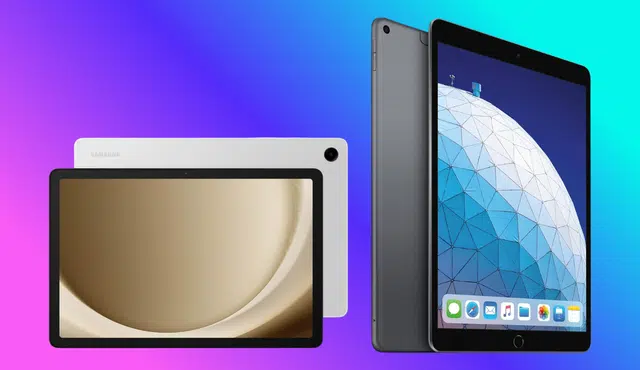
If you want fast cash for a tablet you no longer use, Gizmogo offers a straightforward online process that gets you paid quickly while covering shipping and inspection.
You can get a competitive offer, ship your tablet for free, and receive payment within about 24 hours after verification.
This post will show how Gizmogo simplifies the sale, how to prepare your device to maximize value, and how the company handles data security and eco-friendly recycling.
Expect practical tips on getting the best trade-in price, what to disclose about condition, and which payment options work best so you walk away with the most money and the least hassle.
How Gizmogo Makes Selling Your Tablet Effortless
Gizmogo streamlines the sale so you spend minimal time and get clear, predictable results. The process focuses on transparent pricing, no-cost shipping, device verification, and quick payment options.
Simple Online Process
You start by entering your tablet’s make, model, storage, and visible condition on Gizmogo’s online form. The form asks a few specific questions—model identifier, carrier (if applicable), whether the screen has cracks, and if the device powers on—so the quote reflects real market value.
After you submit details you receive an initial instant quote. That quote updates only if inspection finds undisclosed damage; you always have the option to decline. The interface guides you through account sign-in, data-removal reminders, and choosing a payment method, keeping each step explicit and quick.
Free Shipping and Prepaid Shipping Label
Gizmogo covers shipping costs and provides a prepaid shipping label and sometimes a boxed kit to help you pack safely. You don’t need to calculate postage—just follow the provided packing checklist and attach the label.
You retain control: if you reject the final offer after inspection, Gizmogo returns your tablet at no charge. This approach reduces upfront costs and shipping risk while ensuring you don’t lose money on returns or transit.
Device Inspection and Instant Quote
When Gizmogo receives your tablet technicians verify the condition against your submitted answers. They check functionality—power-up, touchscreen response, battery health—and cosmetic issues like bezel wear or screen cracks. The inspection typically takes a short, defined window so you know when to expect a confirmed offer.
If inspection identifies differences from your description, Gizmogo issues an adjusted offer and explains the changes. You can accept the new amount or request your tablet back. Clear inspection criteria and prompt updates make the final valuation predictable.
Fast and Secure Payments
Once you accept the final offer, Gizmogo processes payment quickly through secure channels. Payment methods commonly include Zelle, PayPal, check, or an Amazon gift card, and Gizmogo aims to complete payment within 24 business hours after inspection.
Gizmogo also performs a professional data wipe if needed and follows secure transaction practices to protect your information. You keep choice over payment type, and prompt processing shortens the time between sending your tablet and getting cash.
Maximizing Trade-In Value When You Sell Your Tablet
Get the best payout by focusing on condition, quick fixes that affect offers, and how buyers calculate trade-in value. Small preparation steps and accurate descriptions can add meaningful dollars when you sell your tablet.
Understanding Device Condition
Buyers grade tablets by cosmetic wear, screen integrity, battery health, and functionality. Scratches and minor dents lower offers slightly; a cracked screen or non-working touch reduces value substantially. Batteries that hold <80% of original capacity typically trigger a larger markdown.
Be honest when you list defects. Misrepresenting condition risks a revised offer or return shipping delays that cost you time. If you need a quick check, run the battery health setting, inspect the display for dead pixels, and test cameras, buttons, and wireless connections.
Include original accessories and the charger when possible. A complete package—original box, charger, and cable—often increases the trade-in value and speeds acceptance.
Tips to Boost Your Tablet’s Value
Perform a factory reset to remove personal data and unpair accounts; buyers pay more for a wiped device. Remove the SIM card and any microSD cards before shipping. Clean the tablet gently with an electronics-safe cloth to remove fingerprints and dust.
Fix inexpensive, high-impact issues if cost-effective. Replacing a cracked screen or buying an OEM charger can raise an offer more than the repair cost. For older models, keep them charged and include a recent photos or a short video showing the tablet powers on—this reassures buyers during inspection.
Use accurate photos from multiple angles when you request a quote online. Clear images of the screen, ports, and any damage reduce the chance of an offer change after inspection. Compare offers from multiple buyers to find the best trade-in value.
Accurate Trade-In Valuation
Companies price tablets using model, storage size, carrier status, condition, and current market demand. Newer models like recent iPads or flagship Android tablets command higher offers; lower-demand or discontinued models fetch less. Storage upgrades and cellular capability (LTE/5G) increase value.
Check real-time quotes across platforms to spot pricing differences. Use comparison sites or direct buyback pages to see how offers change with condition toggles. If a buyer offers free shipping and a guaranteed pay window, factor that into net value—fast payment options can be worth a small price difference.
When you accept an offer, keep documentation: quote page, serial number, and tracking info. This protects you if the buyer adjusts the price after inspection and helps resolve disputes quickly when you sell electronics.
Gizmogo’s Commitment to Security, Service, and Sustainability
Gizmogo focuses on protecting your data, providing clear and reachable customer service, and keeping devices out of landfills. Expect concrete steps for data removal, multiple support channels for disputes or timing questions, and recycling or refurbishment processes that extend device life.
Professional Data Deletion Service
You must wipe personal accounts and back up data before shipping, and Gizmogo details those steps during checkout. After receipt, Gizmogo performs device inspection and applies data sanitization protocols; they note that devices are factory-reset when possible and run additional clearing processes on devices that still contain accounts or locked states.
If you ship a locked tablet, Gizmogo will report the lock and may adjust the offer or return the device. Keep records: save your tracking number, photos of the device condition, and the order confirmation so you can prove the state of the device if inspection reduces the payout.
Steps to protect yourself:
- Remove SIM/memory cards and sign out of iCloud/Google accounts.
- Perform a factory reset and note the IMEI/serial.
- Keep screenshots or export of any proof showing the device was unlocked before shipping.
Top-Notch Customer Service
You can reach Gizmogo by phone for urgent issues and by email for written records and escalations. Phone support helps with missing labels, payment timing, or urgent inspection questions; email gives you a traceable thread if you need dispute evidence.
When inspection changes the offer, customer service typically explains the discrepancy and shows inspection notes. If you disagree, email with photos and the original condition claim to start an appeal. Track these items for faster resolution:
- Order number and tracking ID.
- Photos taken before shipping.
- Copies of the original quote and any promotional codes used.
Reducing E-Waste and Environmental Impact
Gizmogo routes functional tablets into refurbishment and resale channels to extend device life and recover value. Devices that can’t be repaired go to certified recycling streams where components and hazardous materials are separated to prevent soil and water contamination.
For sellers, accurate condition reporting speeds processing and increases the chance your tablet is refurbished rather than recycled. If you manage multiple devices, bulk programs can improve logistics and reduce packaging waste, and Gizmogo documents recycling practices on their site for customers who want details about material recovery and responsible disposal; see the company overview for how they handle trade-ins and recycling.
Other Devices and Benefits of Selling with Gizmogo
Gizmogo accepts a wide range of consumer electronics and offers practical services that speed up sale completion and protect your data. You can move multiple device types through the same online workflow and get paid quickly after inspection.
Accepted Electronics and Devices
You can sell smartphones, tablets, and laptops, plus cameras, smartwatches, and gaming consoles. Major brands like Apple, Samsung, Microsoft, Sony, and Nintendo are commonly accepted.
Broken or non-working items also qualify for quotes, though offers depend on condition and market demand.
Gizmogo lists specific device categories and models on its site so you can confirm eligibility and get an instant estimate before shipping; check accepted items at Gizmogo’s device page.
Convenience and Added Value
Gizmogo provides a prepaid shipping box and covers shipping costs, so you don’t need to find packaging or pay postage. The site generates an instant online quote and lets you accept or decline the final offer after inspection.
After Gizmogo receives your device, they inspect it and typically issue payment within one business day via Zelle, PayPal, check, or Amazon gift card.
The company performs professional data deletion on devices you send, reducing risk of personal data exposure. Selling through Gizmogo also consolidates multiple devices—phones, tablets, gaming consoles—into a single transaction, saving time compared with listing items individually.