

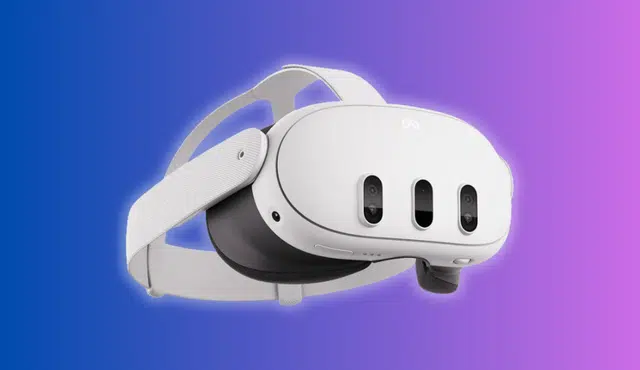
Selling a used Meta Quest 3 can help you recover value from a VR headset you no longer use. Gizmogo offers an online option to sell a Meta Quest 3 VR headset, with a quote and shipping-based process for eligible devices.
Before you sell, check your Quest 3 VR headset’s condition, gather the included controllers, and remove your personal account information. A factory reset and careful packing help protect your data and support a smoother sale.
You can compare the details of selling a Meta Quest 3 with two controllers through Gizmogo and learn what to prepare before sending in your Meta Quest.
How the Gizmogo Selling Process Works
You select the exact Meta Quest 3 configuration, describe its condition accurately, and send the device using the provided shipping process. Gizmogo then inspects the used Quest 3 before accepting it and issuing payment.
Choose the Correct Quest 3 Model and Condition
Start by selecting the exact Meta Quest 3 VR headset you plan to sell. Confirm its storage capacity and whether you are selling the headset with the two original controllers, since the configuration affects the quoted value.
Use the product page for a Quest 3 VR headset with two controllers only if that matches what you have. Do not select a listing for a different Quest model, storage tier, or accessory bundle.
Assess condition carefully before accepting a quote. Check the headset lenses for scratches, test the display and tracking, and verify that both controllers connect and register inputs.
Condition item | What to check |
Headset | Powers on, charges, tracks movement, and displays clearly |
Lenses | No deep scratches, cracks, or damage affecting use |
Controllers | Pair correctly, track properly, and have working buttons |
Exterior | Note cracks, heavy wear, missing parts, or modifications |
Accurate details reduce the chance that inspection changes your offer. Remove personal accessories unless the quote specifically includes them.
Get a Quote and Prepare Your Shipment
After entering the Quest 3 VR headset model and condition, review the quoted amount before moving forward. Trade-in values can vary by model, condition, and current resale demand, as described in Gizmogo’s used electronics trade-in process.
Before shipping, back up anything you need and perform a factory reset on the Meta Quest 3. This removes your account, installed apps, saved Wi-Fi networks, and personal data from the headset.
Prepare the shipment with care:
- Charge and test the headset and controllers before packing.
- Include only quoted items, such as controllers if the selected offer requires them.
- Pack the device securely with padding that prevents movement in transit.
- Use the provided shipping instructions and retain shipment tracking until delivery.
Gizmogo advertises free shipping for eligible device sales. Do not send a device reported lost or stolen; its Quest 3 listing states that it does not accept those products.
Inspection, Acceptance, and Payment
Once Gizmogo receives your used Quest 3, its team inspects the device to confirm that the model, included components, and condition match the information used for the quote. Functional testing may include power, display, tracking, controller connectivity, and physical-condition checks.
If the inspection matches your description, Gizmogo accepts the device at the quoted amount and processes payment. Its guidance states that it processes most payments within one business day after receiving and inspecting a device, although timing can depend on receipt, inspection, and the selected payment method.
If the device differs materially from the submitted details, the original offer may not apply. Avoid surprises by documenting noticeable wear, missing controllers, lens damage, or operational issues before shipping.
You can help prevent delays by submitting accurate information and shipping promptly. Gizmogo notes that accurate descriptions and quick shipment can speed payment.
Preparing Your Headset for a Smooth Sale
Protect your personal data, reset the Quest 3 VR headset completely, and send only the items included in your Gizmogo quote. Accurate preparation helps prevent account-access issues and condition disputes.
Back Up Data and Remove Your Meta Account
Before you erase the Meta Quest 3 VR headset, confirm that games and apps with cloud backup have finished syncing. Connect the headset to Wi-Fi, charge it, and leave it on long enough for pending updates and backups to complete.
Cloud backup does not cover every app or all locally stored files. If you use media files, recordings, or developer content that you want to keep, transfer them to a computer first.
Remove saved payment methods and review your Meta account settings before the reset. Then confirm that the headset no longer appears as an active device after wiping it; guidance on deregistering a Quest headset and deleting device data can help you verify that step.
Do not give a buyer your Meta login, recovery codes, PIN, or device unlock pattern. A factory reset removes local content, but account security also depends on removing the device from your account.
Reset the Device and Clean the Hardware
Factory-reset the Meta Quest 3 VR headset after backup is complete. From the headset, power it off, then hold Power and Volume Down to open the boot menu; select Factory Reset and confirm the erase option.
You can also start a factory reset through the Meta Horizon mobile app if the headset remains paired. After it restarts, stop at the first setup screen rather than signing in again.
Inspect the headset under good lighting. Clean the facial interface, straps, exterior shell, and controller surfaces with a soft microfiber cloth lightly dampened with water or an electronics-safe cleaner applied to the cloth—not directly onto the device.
Avoid liquid near lenses, charging contacts, USB-C ports, cameras, and speaker openings. Check the lenses for scratches, test charging, and inspect the controllers’ battery compartments for corrosion; Quest resale preparation guidance also recommends checking for old battery leaks.
Include Eligible Controllers and Accessories
Match the shipment to the items listed in your Gizmogo offer. A standard Quest 3 VR headset package typically includes the headset and its two Touch Plus controllers, but you should rely on the specific quote rather than assume that every accessory adds value.
Include only accessories that Gizmogo identifies as accepted and that you selected when obtaining the quote. This may include the charging cable or power adapter if requested, while prescription inserts, third-party straps, cases, batteries, and game purchases may not qualify.
Remove AA batteries from the controllers before packing. Label nothing directly on the headset or controllers, and use padding that prevents the lenses and tracking cameras from rubbing against loose items.
Describe missing or damaged components accurately before you ship. You can review the company’s Meta Quest 3 trade-in listing for the current device-selection and quote process.