

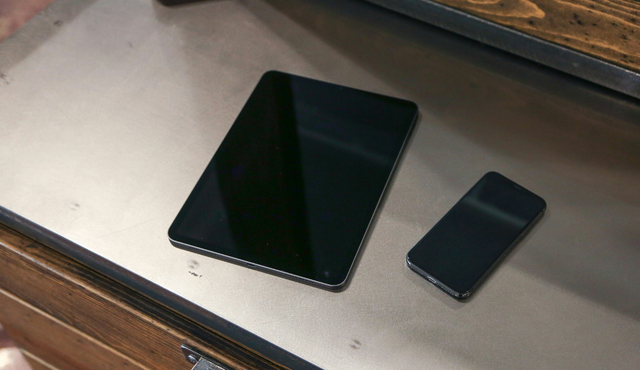
Old phones, broken laptops, and outdated tablets sit on your shelves collecting dust and taking up space. You keep them just in case, but they no longer serve a purpose.
You should stop letting dead electronics collect dust by either putting them back to use, properly recycling them, or selling them for value instead of storing clutter. Dust does more than make devices look neglected; it can affect sensitive components and create unnecessary buildup in your home.
When you understand how dust accumulates and why unused electronics quickly turn into clutter, you can make smarter decisions about what to keep and what to let go. With a few practical steps, you can prevent buildup, clean stored devices safely, and clear out equipment you no longer need.
Instead of stacking outdated tech in drawers and closets, turn it into cash and reduce electronic waste. Sell and recycle your used electronics with Gizmogo and free up space while keeping old devices out of landfills.
Understanding Dust Accumulation and Its Impact on Electronics
Dust does more than make your devices look neglected. It interferes with airflow, traps heat, and increases the risk of electrical faults, especially when you leave electronics unused for long periods.
What Is Dust and Where Does It Come From?
You might think dust is just dirt, but it consists of microscopic solid particles from multiple sources. It includes skin flakes, hair fibers, fabric lint, soil particles, pollen, and fine industrial residues.
In indoor environments, people generate a large share of airborne particles. Normal activity—walking, sitting, adjusting clothing—releases fibers and skin cells into the air. HVAC systems circulate these particles, and they eventually settle on surfaces, including your electronics.
Offices and homes with printers, paper handling, or open windows introduce additional contaminants. Pollen and outdoor particulates enter through ventilation systems and doorways.
Dust becomes more dangerous as electronic components shrink. Tighter trace spacing on modern circuit boards makes devices more sensitive to contamination. Even particles you cannot see can settle between contacts and inside connectors, increasing the risk of malfunction.
Understanding what dust is helps you see why dust accumulation is unavoidable without deliberate protection.
How Dust Damages Electronic Devices
Dust damages electronics in three primary ways: thermal insulation, electrical interference, and chemical interaction.
First, dust acts as an insulating blanket. When it accumulates on heat sinks and circuit boards, it reduces heat dissipation. According to discussions on the impact of dust on the reliability of electronics, shrinking trace spacing makes modern boards even more vulnerable to contamination.
Second, some dust becomes partially conductive under high humidity. Moisture can change its electrical properties, allowing leakage currents or short circuits to form across tightly spaced components.
Third, certain environments contain flammable or corrosive particles. Research on dust ingress and accumulation in electronic equipment explains how buildup can contribute to overheating, system crashes, and service interruptions.
You protect sensitive electronics by limiting exposure, sealing enclosures properly, and controlling airflow rather than simply increasing it.
Risks of Storing Unused or Dead Electronics
When you store unused or dead electronics, dust accumulation accelerates. Devices that remain plugged in or stored in open areas act like static magnets for fine particles.
Unused equipment often lacks routine cleaning or inspection. Dust settles into vents, USB ports, and expansion slots. Over time, this buildup hardens, especially in humid environments.
If you power on a device after long storage, trapped dust can immediately restrict airflow. You may notice louder fan noise or unexpected shutdowns.
Dead electronics also create secondary risks. Dust buildup around internal power supplies and capacitors can retain moisture, increasing corrosion. If you later attempt repair or resale, contamination reduces value and reliability.
Storing devices in sealed containers with desiccant packs limits exposure, but permanent neglect guarantees progressive internal contamination.
The Role of Dust in Cooling System Failures
Cooling systems depend on unrestricted airflow. Fans pull air across heat sinks and exhaust it through vents, but dust blocks that pathway.
When dust coats fan blades, it reduces rotational efficiency. When it fills heat sink fins, it prevents proper thermal transfer. A study on reducing dust deposition by optimizing cooling airflow highlights how airflow design directly influences dust buildup patterns.
Increased airflow without filtration can worsen the problem. More air means more particles entering the chassis.
Common failure points include:
- Clogged intake vents
- Dust-packed heat sinks
- Unfiltered cooling fans
- Blocked exhaust ports
As internal temperatures rise, components throttle performance or shut down to prevent damage. Repeated thermal stress shortens lifespan and increases the chance of permanent failure.
If you have devices collecting dust and no longer plan to use them, take action. Instead of letting them degrade further, sell and recycle your used electronics with Gizmogo. You clear space, prevent additional dust-related deterioration, and ensure responsible reuse or recycling.
Effective Strategies to Prevent Dust Buildup and Clean Up Devices
You reduce maintenance time and extend device life when you prevent dust accumulation instead of reacting to heavy buildup. Consistent cleaning, smart storage, targeted keyboard care, and responsible disposal keep dust off electronics and limit clutter.
Regular Cleaning Practices for Electronics
Commit to regular cleaning practices rather than occasional deep cleans. Dust surfaces weekly with a damp microfiber cloth to trap particles instead of pushing them into the air, a method recommended in guides on how to keep your home dust-free for longer.
Turn devices off and unplug them before cleaning electronics. Wipe external surfaces gently and avoid spraying liquid directly onto screens or ports.
Use this basic routine:
- Weekly: Wipe monitors, towers, consoles, and cables
- Monthly: Check vents and visible ports for buildup
- Quarterly: Inspect internal fans if the device allows safe access
Clean electronics on a schedule so dust never reaches tight internal spaces. Consistency does more to prevent dust buildup than aggressive scrubbing.
Proper Storage and Air Filtration Solutions
Storage and airflow directly affect how much dust settles on your equipment. Keep devices in enclosed cabinets when possible, and avoid placing them on the floor where dust concentration is higher.
Upgrade your environment with practical controls:
- Replace HVAC filters on schedule
- Use portable air filtration systems in offices or media rooms
- Seal gaps around windows and doors
Cleaning experts often stress evaluating your HVAC system as part of broader efforts to get rid of dust in your home. Cleaner air reduces how often you need to clean electronic devices.
If you rarely use a device, cover it with a breathable dust cover. Avoid plastic wrap that traps moisture. Proper storage does as much to keep dust off electronics as hands-on cleaning.
Tips for Cleaning Keyboards and Other Hard-to-Reach Areas
A neglected keyboard collects debris quickly. Crumbs and fine dust fall between keys and settle under switches.
Start by unplugging or powering down the keyboard. Turn it upside down and gently tap to loosen debris.
Follow with:
1. Compressed air to blow out remaining particles
2. A soft brush to dislodge buildup along key edges
3. A lightly damp microfiber cloth for the surface
For guidance on detailed device care, review practical advice in this guide on preventing and removing dust build-up on electronics.
Apply the same approach to vents, controller seams, and remote controls. Use small tools designed for electronics, not sharp objects that can damage components.
Safely Disposing of Dead or Obsolete Electronics
Dead electronics attract dust and waste space. If a device no longer powers on or meets your needs, remove it from your workspace instead of letting it collect debris.
Before disposal:
- Back up and erase all personal data
- Remove batteries if required
- Check local e-waste regulations
Sell or recycle usable items instead of storing them. Platforms like Gizmogo let you sell used electronics for cash and ensure responsible recycling when devices no longer function.
You prevent dust buildup in your home and reduce electronic waste at the same time. Clearing out obsolete equipment keeps your space cleaner and more manageable.