

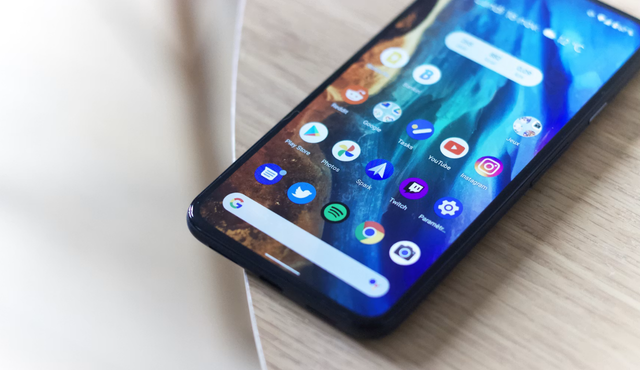
You want flagship-level features without the flagship price, and you don’t have to settle for the Pixel 10’s premium tag to get a great Android experience. This guide shows five cheaper Android phones that deliver strong performance, solid cameras, and reliable software updates so you can keep more cash in your pocket without sacrificing the core benefits that matter most.
Expect practical trade-offs: you’ll get many Pixel 10 strengths—clean software, capable cameras, and regular updates—at lower prices from well-chosen alternatives. The next sections compare value picks, key specs, AI and update support, and how to match a budget phone to your priorities so you pick the best option for your needs.
Top Value Android Phone Alternatives
These picks prioritize camera value, update longevity, distinctive design, and smooth displays while staying under typical flagship prices. Expect reliable daily performance, multi-year software support on select models, and options that emphasize either camera systems, unique aesthetics, large displays, or high refresh rates.
Google Pixel 9a: Affordable Flagship Experience
You get flagship-style imaging and long-term updates without flagship cost. The Pixel 9a centers on a 48MP primary sensor that prioritizes larger pixels and better low-light capture over gimmicky multiple lenses. That camera advantage pairs with Google’s image processing and on-device Gemini Nano features for practical photo editing like Magic Editor and Best Take.
Performance fits everyday use: a midrange chipset that handles browsing, social apps, and light gaming smoothly. Battery life trends toward all-day use; charging is slower compared with some competitors. Google’s update promise—multiple years of Android and security patches—makes this a sensible choice if you value software longevity.
Display and build focus on usable quality rather than spectacle. You still get a clean Android experience and camera-focused software tools that often produce better images than spec sheets imply.
Nothing Phone 3a and 3a Pro: Distinctive Design on a Budget
Nothing’s 3a models emphasize eye-catching design and practical cameras. The Nothing Phone 3a offers the signature glyphs and transparent styling for a standout look. The 3a Pro adds a periscope-style 50MP telephoto sensor giving true optical zoom (around 3x) and stronger long-range shots, which matters if you frequently crop or zoom.
Both phones run Nothing OS, which stays close to stock Android and keeps the interface light. Expect clean animations and useful customization without heavy bloat. Charging is competitive with fast wired rates, though wireless charging remains limited or absent on cheaper variants.
Carrier compatibility can vary by region, so check bands before buying. If you want a phone that draws attention and actually extends photographic reach compared with typical budget phones, the Phone 3a Pro is the stronger pick.
Samsung Galaxy A16 5G and A17 5G: Budget-Friendly Options with Big Screens
Samsung’s A-series targets value with big batteries and large displays. The Galaxy A16 5G pairs a 6.5–6.6-inch screen and a 50MP main camera with a 5,000mAh battery that prioritizes endurance. The A17 5G typically upgrades the chipset and display polish while keeping battery capacity and software support attractive for the price.
Samsung promises extended update windows on many A-series models, which helps longevity. Performance centers on efficient midrange chips like Snapdragon alternatives; you’ll handle streaming, apps, and casual gaming comfortably. Displays focus on size and readability rather than extreme peak brightness or top-tier refresh rates, though some models refresh at 90–120Hz in higher trims.
Choose these if you want large, readable screens, dependable battery life, and Samsung’s One UI with multi-year updates at a low cost.
OnePlus Nord N30 5G: High Refresh Rate without the High Cost
The Nord N30 5G strikes a balance between smooth display performance and affordability. It often features a 120Hz refresh AMOLED (or high-quality LCD) that makes UI scrolling and supported games feel fluid compared with typical 60Hz budget phones. Under the hood, efficient midrange chips—such as Snapdragon 695 or comparable Snapdragon 4/7-series variants depending on the market—deliver solid day-to-day responsiveness.
Battery capacities lean toward all-day use and support fast wired charging, reducing downtime. Camera systems are pragmatic: a reliable primary sensor plus useful ultrawide or macro backups, not flagship-caliber setups. If you prioritize a responsive 120Hz experience and a snappy interface on an affordable Android phone, the Nord N30 5G gives you that tradeoff.
Comparing Key Features and Performance
You’ll see trade-offs between screen smoothness, camera versatility, raw chip speed, and charging features. Pick the combination that matches how you use your phone most: gaming, photos, or long battery life.
Display Quality and Refresh Rates
Look for a 6.7-inch display if you want bigger text and immersive video without crowding the UI. Phones with a 120Hz refresh rate give noticeably smoother scrolling and faster touch response during games and navigation.
Check panel type: OLED delivers deeper blacks and HDR10+ support for better streaming contrast, while LCD panels usually cost less and still get the job done. Also verify glass protection—many midrange models have Corning Gorilla Glass, and some higher-value options now ship with Gorilla Glass Victus 2 for better drop resistance.
Brightness and color tuning matter. If you use your phone outdoors, prioritize higher nits and an adaptive refresh option that scales between 1–120Hz to conserve battery when you don’t need full fluidity.
Camera Capabilities: Ultrawide, Telephoto, and Triple Cameras
If photography matters, aim for a triple-lens camera setup that combines a high-resolution main sensor (often 50MP) with a 13MP ultrawide for landscapes and a telephoto for tight framing. The ultrawide typically handles wide scenes and macro shots; a 13MP ultrawide is common and useful for consistent color matching with the main camera.
A telephoto module improves portrait shots and optical zoom. Budget devices rarely include periscope telephoto; when they do, you’ll get much more usable long-range zoom. Pay attention to software processing—real-world image quality depends as much on tuning as on sensor specs.
For low-light and video, stabilization and HDR processing (look for HDR10+ playback) help produce cleaner clips. If you want high-end zoom or detailed night photos, step up to models that explicitly list telephoto or periscope hardware.
Processor and Day-to-Day Performance
Choose a chipset that matches your usage: Qualcomm Snapdragon variants and MediaTek alternatives cover most budgets. The Snapdragon 8 Elite and Tensor G5/G4 sit near the top of performance for responsive UI and gaming, while midrange Snapdragon or Exynos 2400 chips deliver solid everyday performance without flagship heat or price.
More RAM and modern CPU cores improve multitasking. For longevity, pick a phone with a chip that benchmarks well for single- and multi-core tasks; this protects against slower performance as apps get heavier. Also watch for software update promises—Google’s Tensor-equipped devices often receive longer update windows.
If you game a lot, prioritize higher sustained performance and good thermal management; for browsing and messaging, midrange chips paired with 6–8GB of RAM will feel snappy.
Fast Charging, Battery Life, and Qi2 Wireless Charging
Battery capacity and charging speed shape daily convenience. Fast charging ranges widely: some budget phones top out at 18W, while many better midrange models offer 50W or higher, cutting charge time substantially. Consider whether you want wired fast charging or the convenience of wireless.
Qi2 wireless charging appears on a few newer phones and gives magnetic alignment plus cord-free top-ups, but expect slower power transfer than wired 50W charging. Long battery life depends on a balance of efficiency (chipset and display refresh behavior) and battery size.
Check real-world tests: a phone with adaptive 120Hz, an efficient SoC, and 4,500–5,000 mAh battery will typically deliver a full day or more. If you prioritize quick top-offs, prioritize 50W wired charging; if you prefer cable-free convenience, prioritize Qi2 support.
AI, Software Updates, and Longevity
You should expect AI features that matter and update commitments that keep the phone secure and useful for years. Prioritize models that deliver practical on-device AI, regular security patches, and at least four years of OS updates.
Exclusive AI Features Across Devices
Manufacturers bundle different AI tools; you should pick the ones you will actually use. Google’s phones bring Gemini-powered assistants and broad Google AI features—on-device speech recognition, Assistant summaries, and photo edits—so expect faster voice typing and smarter search with features like Circle to Search for quick context from images and text. Samsung’s Galaxy AI adds on-device photo editing, live translate, and memory-driven suggestions tied to One UI; these help if you use Samsung apps or prefer local processing for privacy. Other brands may offer AI features for battery management, noise reduction, or camera enhancements, but they vary widely in usefulness and update support. Check whether the AI runs locally (better privacy, lower latency) or depends on cloud servers (better compute, possible lag or subscription).
Update Policies and Seven Years of Support
Software longevity hinges on explicit update promises and a manufacturer’s track record. Samsung now advertises up to six or seven years of security and OS support on many A-series models, which reduces total cost of ownership and keeps you protected longer than rivals offering three years. Google’s Pixel “a” and newer Pixels advertise extended update windows too, with multi-year OS and security updates tied to feature drop schedules. When shopping, verify exact terms: number of Android version upgrades, frequency of security patches, and whether updates apply to budget SKUs. You should prefer phones with clear, time-bound guarantees and a history of delivering updates on schedule.
Android 17 and Long-Term Usability
Android 17 introduces features that affect longevity and daily use; you should check device compatibility before buying. Expect API-level improvements for background task efficiency, enhanced privacy controls, and expanded support for on-device AI acceleration—benefits that prolong battery life and enable newer AI functions without premium silicon. Phones that receive Android 17 and at least two subsequent Android versions will stay current for years; this matters for app compatibility and new AI capabilities such as improved generative integrations. Confirm with the manufacturer whether Android 17 is included out of the box or planned for your model, and whether the device offers sufficient RAM and neural acceleration to run newer AI features smoothly.
Choosing the Right Budget Android for You
Start by listing what matters most to you: battery life, camera, raw performance, or long-term software updates. If you need lots of media and apps, prioritize a phone with expandable storage or larger built-in storage so you won’t run out of space.
Consider display and build quality next. A bright OLED or high-refresh LCD improves daily use, and many of the best budget phones now include these features without flagship prices. If you want stylus or large-screen options, models in the Moto G line often balance size and value well — check the latest Motorola Moto G 5G and similar Moto G variants.
Look at real-world performance and charging. Midrange chipsets deliver smooth everyday use, but heavy gaming or multitasking needs a higher-tier budget model. Fast wired charging is common on cheap Android phones and short charging times can matter more than slightly better specs.
Don’t ignore network compatibility and updates. Cheap imports may lack bands or carrier support, so confirm compatibility before buying. Also weigh software update promises; phones with multi-year support retain value longer.
Use this quick checklist to compare candidates:
- Storage: expandable? built-in size?
- Battery: capacity and charging speed
- Camera: primary sensor quality vs. extras
- Updates: years of OS/security support
- Network: carrier bands and 5G compatibility
Match your checklist to a few finalists and test them in person when possible. That hands-on check usually reveals comfort, UI smoothness, and pocket fit better than specs alone.