

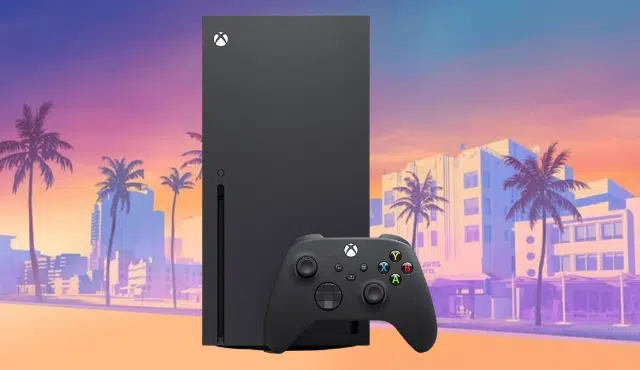
You can play GTA VI on your Series S, so an upgrade to the Series X is optional. Microsoft’s own price update lists the Series S as the lowest-cost way to play Grand Theft Auto VI this year. The Series X is a fidelity and storage upgrade, and your current console is not a barrier to launch day on November 19.
That does not make the upgrade pointless. The Series X offers more storage and a sharper picture on a 4K TV, and trade-in values for used consoles are strong right now. If you were already thinking about moving up, GTA VI makes a good moment to price it out.
The rest of this article helps you decide whether to keep your Series S or sell it and put the money toward a Series X.
Should You Keep Your Series S for GTA VI?
Keep your Series S if it handles your games today and your TV is 1080p or 1440p. GTA VI is confirmed for Xbox Series X|S, so the game is coming to your console, while the Series X mainly adds resolution headroom and a bigger drive.
Can You Play GTA VI on Series S at Launch?
Yes. Rockstar Games launches Grand Theft Auto VI on November 19, 2026, and IGN reports it arrives on PlayStation 5 and Xbox Series X|S on that date, with preload starting November 12. Xbox also confirmed the game is coming to Xbox Cloud Gaming on November 19, which extends it to Xbox One owners.
Cloud play is a backup, not a replacement for a local install. Smart Delivery, Quick Resume support, and Game Pass availability for this title have not been confirmed, so do not count on them.
What Resolution and Performance Differences Can You Expect?
Rockstar has not published Series S resolution or frame rate targets. Expectations point toward 30fps on the standard PS5 and Xbox Series X, and no console has a confirmed 60fps mode.
What is known is the hardware gap. IGN’s review of the Series S describes a console hard to recommend as a primary platform because of its 1440p resolution and tight storage. The Series X is built for true 4K gaming, so it should hold more detail on a large 4K display. No tested GTA VI results exist yet, so treat any specific numbers you see as guesses.
How Much Storage Will You Actually Need?
Plan for a very large install. Coverage of the launch says you may need around 210 GB of free space, and Game Informer urges players to clear space before preloading because the download is massive. Rockstar has not published a final file size for each console, so check the store page on your own system.
The 512 GB Series S fills fast with that single game. An Xbox Storage Expansion Card or an external drive solves it, and that cost belongs in any upgrade math. The Series X has a larger internal drive, but the console is also sold in a digital model with no 4K UHD Blu-ray drive, so check which version you are buying.
Which Xbox Features Matter for Your Purchase?
Only a few features change the decision. A disc drive matters if you want 4K UHD Blu-ray movies; the Series S has none. Quick Resume works on both consoles in general, but its behavior in GTA VI is unconfirmed.
Pre-orders of the boxed version are, per Pure Xbox, just a code in a box, so a disc drive adds nothing for this game. Skip paying extra for features you will not use.
Who Should Keep Their Series S Instead of Upgrading?
Keep your Series S in these cases:
- Your TV is 1080p or 1440p, so extra 4K headroom goes unused.
- You mostly play one or two games and have room for a storage card.
- You are comfortable with 30fps, which looks like the target on every console.
- The out-of-pocket cost in the next section feels steep for a modest visual gain.
Move up if you own a 4K TV, play on it nightly, and want the most detailed version of Leonida and Vice City that Xbox can offer.
How Much Will Upgrading Cost After Selling Your Xbox?
Upgrading will cost you roughly the Series X price plus tax, minus what your Series S actually sells for. New prices are high, so your old console covers a real share of the bill.
IGN lists the Series S at $499.99 and the Series X at $749.99 for the digital model or $799.99 with a disc drive. Those are new prices, and Microsoft raised them after announcing a $100 increase on 512 GB models effective August 1, 2026.
What Are Series S and Series X Consoles Worth in 2026?
Used values vary by model, storage, condition, and included accessories. One report on secondary market prices puts used Series S consoles near $300 and used Series X units near $400 in some markets, with a trade-in swap netting about $350 out of pocket in the UK. Those are asking and market prices, not guaranteed payouts. What a buyer or trade-in program pays you is lower than what a console is listed for.
A 512 GB model with no controller will fetch less than a boxed console with its pad and cables. Refurbished consoles from Microsoft are sold for up to $100 off MSRP, which also caps what buyers will pay for used ones.
How Do You Calculate the Real Out-of-Pocket Upgrade Cost?
Use this simple formula: Series X price + sales tax + storage you need + fees or shipping − actual Series S payout.
Here is an example using the digital Series X at $749.99. Add tax at your local rate. The Series X ships with a larger drive, so you may skip a card, but a Storage Expansion Card or external drive is worth budgeting if you play several large games. If your Series S pays $200 to $300, your net cost lands well above $450 before tax, and it climbs fast with a disc drive model. Run your own numbers with a real quote in hand.
Should You Sell Before GTA VI Launches or Wait for Benchmarks?
Selling now gets you cash before launch, but no one can promise a resale peak. Waiting for GTA VI performance tests lets you judge whether the Series X gap is worth paying for. The risk of waiting is that prices on used consoles could move either way.
Console stock is also tight. IGN notes retailers have warned that consoles could be short over the holidays, so line up your Series X before you ship out your Series S. If you only have one console, avoid a gap before launch day.
How Do You Prepare Your Series S for Sale?
Follow these steps in order:
- Back up saves to the cloud, or confirm they sync to your account.
- Copy any games or captures you want to keep to an external drive.
- Remove your account from the console and turn off the home console setting.
- Run a factory reset from settings and choose to remove everything.
- Gather the power cable, HDMI cable, and controller if you are including them, since accessories can raise your payout.
- Take clear photos and note any scratches or damage.
How Can You Get Cash for Your Series S Through Gizmogo?
Gizmogo is a straightforward way to cash out a Series S, including one with wear or damage. You enter your model, storage size, and condition, receive a quote, and ship the console to complete the sale. Quotes depend on model and condition, so a console with its controller and clean body should quote higher than a bare one.
Check the payout amount, payment method, and timing on the quote itself before you ship, since terms can change. Once you have the figure, plug it into the formula above and decide whether the Series X is worth the difference.