

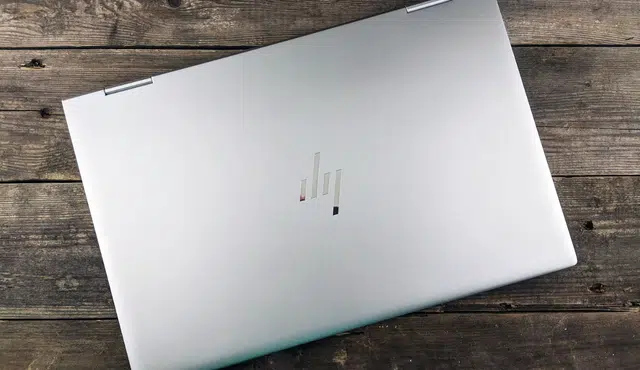
The best way to sell your HP laptop for a higher price is not to write a longer listing. It is to give buyers proof. A used laptop becomes more valuable when the buyer can quickly verify the model, specs, battery health, condition, warranty status, and included accessories.
Most sellers only say, “HP laptop, works well.” That is not enough. Buyers want confidence before they pay. If your listing answers their questions before they ask, your HP laptop is easier to trust and easier to sell.
This guide focuses on one strategy: creating a buyer-proof listing that helps your HP laptop stand out in a crowded resale market.
Start With the Exact HP Model, Not Just the Series Name
Many HP laptops have similar names, but very different values. For example, an HP Pavilion, HP Envy, HP Spectre, HP EliteBook, HP ProBook, HP Omen, HP Victus, or HP ZBook can vary widely depending on the processor, graphics card, screen, RAM, storage, and release year.
Do not list only the marketing name. Include the exact product name, product number, and serial number details where appropriate. You do not need to show the full serial number publicly, but you can use it to verify the device before listing.
A stronger listing might say:
“HP Spectre x360 14, Intel Core i7, 16GB RAM, 1TB SSD, OLED touchscreen, original charger included.”
That is much better than:
“HP touchscreen laptop for sale.”
The more specific your listing is, the easier it is for buyers and trade-in companies to understand the value.
Create a Simple HP Laptop Value Sheet
Before you list the laptop, create a short value sheet. This is a one-page summary of the device. You can include it in the listing photos or paste it into the description.
Your value sheet should include:
Model name
Processor
RAM
Storage size and type
Graphics card or integrated graphics
Screen size and resolution
Touchscreen or non-touchscreen
Battery condition
Operating system
Included accessories
Cosmetic condition
Any upgrades or repairs
Warranty status if available
This makes your listing feel organized and professional. It also reduces repetitive buyer questions.
For example, if you upgraded the laptop from 8GB RAM to 16GB RAM or replaced the original hard drive with a faster SSD, say that clearly. Upgrades can improve perceived value, especially for students, remote workers, creators, and casual gamers.
Prove the Battery Health
Battery condition is one of the biggest concerns when someone buys a used laptop. A buyer may like the price but worry that the laptop will need a new battery soon.
You can reduce that concern by running a battery check before listing the device. If the battery is in good condition, mention it in the description. If the battery is weak, be honest and price the laptop accordingly.
A transparent listing might say:
“Battery tested before listing. Laptop holds charge, but battery life depends on brightness, apps, and usage.”
Avoid making exaggerated promises like “battery lasts all day” unless you can support that claim with real testing. Buyers trust realistic details more than vague sales language.
Show the Laptop Working
Photos are important, but a short video can do even more. A 30-second demo can show the laptop powering on, charging, opening apps, connecting to Wi-Fi, playing audio, and showing the screen condition.
A useful video can show:
The laptop turning on
The keyboard working
The screen with no major cracks or dead zones
The charging cable connected
The trackpad responding
The device specs page
The exterior condition
This kind of proof makes buyers feel safer. It can also reduce lowball offers because the buyer can see that the laptop is functional.
Photograph the Right Details
Most laptop listings have poor photos. To sell your HP laptop at the best price, take clear pictures in good lighting. Clean the laptop first, then photograph it from multiple angles.
Include photos of:
Front view with the screen on
Keyboard and trackpad
Top cover
Bottom cover
Ports on both sides
Charger and accessories
Any scratches, dents, or worn areas
Model or product label, with private details covered if needed
Do not hide damage. Showing flaws clearly can actually improve trust. Buyers are more likely to pay a fair price when they believe the seller is honest.
Include Accessories That Increase Value
Accessories can make your HP laptop feel like a complete package. If you have the original charger, include it. If you have a laptop sleeve, docking adapter, USB-C hub, wireless mouse, stylus, or original box, mention those items in the listing.
Accessories are especially useful for HP Spectre, Envy, EliteBook, and ZBook models because buyers may want a ready-to-use setup for work or school.
A bundled listing can sound like this:
“Includes HP laptop, original charger, laptop sleeve, USB-C hub, and wireless mouse.”
That feels more valuable than selling the laptop alone.
Match the Laptop to the Right Buyer
A strong listing does not just describe the laptop. It explains who the laptop is good for.
An HP Omen or HP Victus can be positioned for gaming, streaming, and performance use. An HP Spectre or HP Envy can be positioned for students, creators, and everyday productivity. An HP EliteBook or HP ProBook can be positioned for business users who care about durability, ports, and security features. An HP ZBook can be positioned for professionals who need workstation-level performance.
This helps buyers quickly decide whether the laptop fits their needs.
For example:
“Best for students, remote workers, and everyday productivity.”
Or:
“Best for light gaming, schoolwork, and streaming.”
Or:
“Best for business use, office apps, video calls, and travel.”
Simple positioning makes the listing easier to understand and more likely to convert.
Be Clear About Data Reset and Privacy
Before selling your HP laptop, remove your personal files and accounts. Back up your data, sign out of cloud services, remove saved passwords, and reset the computer.
In your listing, you can say:
“Device will be reset before sale and ready for the next owner.”
This gives buyers confidence that they are getting a clean device. It also protects you from accidentally passing along personal information.
If you are selling to a trade-in platform instead of a private buyer, follow that company’s reset and shipping instructions carefully.
Compare Selling vs Trade-In
Selling your HP laptop directly may bring a higher price, but it takes more time. You may need to answer messages, negotiate, meet buyers, ship the laptop, handle complaints, and manage payment risk.
A trade-in is usually faster and easier. You submit the laptop details, receive a quote, send the device, and get paid after inspection. The trade-off is that the offer may be lower than a private-sale price.
Choose direct resale if you want the highest possible price and do not mind the extra work. Choose trade-in if you want speed, convenience, and a simpler process.
Use Your Old HP Laptop to Fund an Upgrade
If you are replacing your HP laptop, do not leave the old one in a drawer. A working laptop can still have value, especially if it has a strong processor, SSD storage, good battery health, and a clean screen.
Gizmogo helps users sell used electronics online, including HP laptops, gaming laptops, business laptops, tablets, phones, consoles, and other devices. If you want to avoid the stress of private selling, a trade-in platform can help turn your old device into cash more quickly.
Final Takeaway
To sell your HP laptop at the best price, build trust before you negotiate. Verify the exact model, list the real specs, prove the battery condition, show the laptop working, photograph the details, include useful accessories, and explain who the laptop is best for.
A buyer-proof listing does more than describe your HP laptop. It removes doubt. And when buyers feel confident, they are more likely to pay a fair price.