

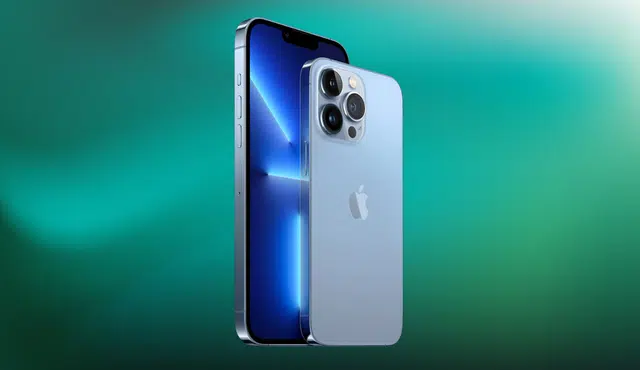
If you own an iPhone 13 Pro Max and are dealing with everyday technical issues — or thinking about upgrading — this guide covers both. Below you’ll find straightforward fixes for the most common iPhone problems, a comparison of recent iPhone models, and what to know about getting the best trade-in value for your iPhone 13 Pro Max.
How to Fix a Frozen or Unresponsive iPhone Screen
A frozen or unresponsive screen is one of the most common iPhone problems, and it can usually be fixed without visiting a repair shop.
To fix a frozen iPhone screen:
1. Force restart your iPhone by pressing and quickly releasing the Volume Up button, then the Volume Down button, then pressing and holding the Side button until the Apple logo appears.
2. Update to the latest version of iOS, as software updates frequently resolve screen and performance issues.
3. If the problem continues, perform a factory reset — but back up your data first, as this will erase everything on the device.
Note: The iPhone 14 and iPhone 15 include a Crash Detection feature that can automatically contact emergency services after a severe car accident. This feature is not available on the iPhone 13 Pro Max.
How to Improve Poor Battery Life on an iPhone
If your iPhone battery is draining faster than expected, these steps can help extend it:
- Turn off Background App Refresh for apps that don’t need to update constantly.
- Lower screen brightness and enable Auto-Brightness under Settings > Accessibility > Display & Text Size.
- Disable Location Services for apps that don’t require it.
- Enable Low Power Mode when your battery is running low.
In terms of battery performance, the iPhone 14 Pro Max supports up to 29 hours of video playback, and the iPhone 15 Pro Max extends that to up to 30 hours — compared to 28 hours on the iPhone 13 Pro Max. If battery life is a priority, upgrading is worth considering, and your iPhone 13 Pro Max trade-in value can help offset the cost.
How to Fix iPhone Connectivity Issues
Wi-Fi and cellular connectivity problems are common but usually easy to resolve.
Steps to fix iPhone connectivity issues:
- Toggle Wi-Fi or cellular data off and back on to reset the connection.
- Forget the Wi-Fi network and reconnect to establish a fresh connection.
- Go to Settings > General > Transfer or Reset iPhone > Reset > Reset Network Settings to clear all saved network configurations.
- If the issue is app-specific, delete and reinstall the affected app.
Both the iPhone 13 Pro Max and the newer iPhone 14 and 15 models support 5G connectivity. Coverage and speeds will vary depending on your carrier and location.
How to Prevent and Fix iPhone Overheating
An overheating iPhone can lead to reduced battery performance and unexpected shutdowns. Here’s how to address it:
- Keep your iPhone out of direct sunlight and away from high-temperature environments.
- Remove your phone case while charging if the device feels hot.
- Close background apps that are running unnecessarily.
- Switch to a different charging cable or adapter if overheating occurs during charging.
The iPhone 14 and 15 models include improved thermal management technology, which handles heat more efficiently than previous generations. If overheating persists on any device, it may indicate a hardware issue requiring professional service.
iPhone Comparison: 13 Pro Max vs. 14 Pro Max vs. 15 Pro Max
| Feature | iPhone 13 Pro Max | iPhone 14 Pro Max | iPhone 15 Pro Max |
|---|---|---|---|
| Display | 6.7″ Super Retina XDR OLED | 6.7″ Super Retina XDR OLED | 6.7″ Super Retina XDR OLED |
| Processor | A15 Bionic | A16 Bionic | A17 Bionic |
| Rear Camera | 12MP triple-lens | 48MP triple-lens | Quad-lens system |
| Max Storage | 1TB | 1TB | 2TB |
| Battery Life | Up to 28 hrs video | Up to 29 hrs video | Up to 30 hrs video |
The iPhone 15 Pro Max offers the most significant improvements — a faster processor, an additional camera lens, and double the maximum storage. However, if you’re currently on an iPhone 13 Pro Max, the upgrade cost versus your trade-in value is worth calculating before deciding.
What Is the iPhone 13 Pro Max Trade-In Value?
The trade-in value of an iPhone 13 Pro Max depends on its condition, storage capacity, and where you sell it. To get the most accurate and competitive offer, use a certified buyback platform rather than a carrier trade-in program, which often undervalues devices.
Factors that affect your iPhone 13 Pro Max trade-in value:
- Screen and body condition (cracks, scratches, dents)
- Battery health percentage
- Storage size (128GB, 256GB, 512GB, 1TB)
- Whether you have the original box and accessories
- Whether the device is unlocked or carrier-locked
Gizmogo offers instant quotes on the iPhone 13 Pro Max in any condition — including devices with cracked screens or degraded batteries. You can get a free quote here with free shipping and fast payment.
Frequently Asked Questions
What is the trade-in value of an iPhone 13 Pro Max?
Trade-in value varies based on condition, storage, and platform. Certified buyback platforms like Gizmogo typically offer more competitive prices than carrier trade-in programs.
Should I upgrade from an iPhone 13 Pro Max to a newer model?
If battery life, camera quality, or storage are limiting factors for you, upgrading to an iPhone 14 or 15 Pro Max offers meaningful improvements. Using your iPhone 13 Pro Max trade-in value can make the upgrade significantly more affordable.
How do I fix a frozen screen on an iPhone 13 Pro Max?
Force restart the device by pressing Volume Up, Volume Down, then holding the Side button until the Apple logo appears. If the issue continues, update iOS or perform a factory reset.
Does the iPhone 13 Pro Max support 5G?
Yes. The iPhone 13 Pro Max supports 5G connectivity, as do the iPhone 14 and 15 models.
Where is the best place to trade in an iPhone 13 Pro Max?
Gizmogo is a trusted buyback platform that accepts iPhones in all conditions and provides instant quotes, free shipping, and competitive payouts.