

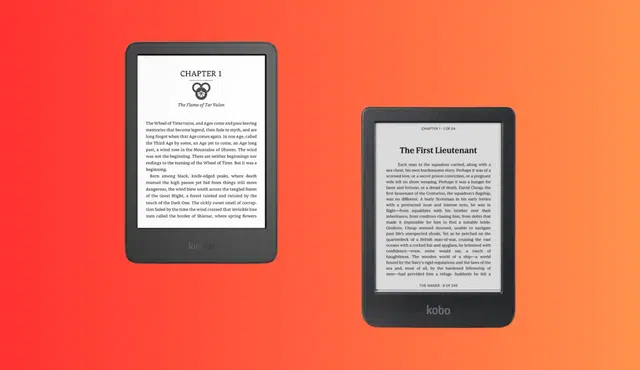
If you’re weighing Kindle vs Kobo before your next eReader purchase, resale value should factor into the decision as much as screen quality or store selection. Both brands make solid hardware, but they hold their worth differently once you’re ready to sell.
A used Kobo Libra 2 typically fetches around $100 and a Kindle Scribe holds value well above standard Paperwhite models, thanks to its niche note-taking appeal. Amazon’s ecosystem locks you into its store and formats, while Kobo’s open EPUB support gives you more flexibility if you switch later. That flexibility does not automatically translate into a higher resale check, though. It depends on the specific model, its condition, and when you decide to sell.
Picking the best eReader for 2026 means looking past the launch price. If you plan to trade up in a year or two, the device that costs less upfront isn’t always the one that nets you more cash down the road.
Which Brand Holds Its Resale Value Better?
Neither brand wins outright on resale. What matters more is the specific model, its age, and whether it still does something buyers actually want, like color e ink, a stylus, or waterproofing.
What Do Popular Kindle and Kobo Models Resell For?
Resale offers vary a lot by model and platform. Buyback site quotes give a useful baseline for comparing devices side by side.
According to quoted buyback offers on a device buyback platform, a Kobo Libra 2 earns around $100, a Kobo Elipsa 2E around $150, a Kobo Sage around $100, and a Kobo Clara Colour around $60. Older Kobo models drop fast: a Clara HD quotes at $20, and legacy devices like the Aura HD or Story HD quote at $0.
On the Kindle side, the same buyback platform separates out very old models like the basic Kindle 2 through Kindle DX, most of which show $0 quotes. Newer Kindle Paperwhite and Scribe generations aren’t broken out individually in that listing, but a related analysis of Kindle resale value in 2026 puts Paperwhite generations from 2018 onward in the $40 to $120 used range, with Scribe models running 30 to 60% higher than a comparable Paperwhite because of the note-taking niche.
For new-condition pricing context, the Kindle Paperwhite 16GB lists for $199.99 new, with a trade-in savings option bringing the price down to $121.49, according to Amazon’s own Kindle Paperwhite listing. Pre-owned “like-new” units on that same listing start at $179.99. A refurbished first-generation Kindle Scribe with 16GB storage and a Basic Pen sold for $233.99 in a limited-time deal, down from a $349.99 list price, according to a report on a Kindle Scribe deal. That gap between new and refurbished pricing hints at how much value these devices shed even before they hit the secondhand market.
A certified refurbished Kobo Libra 2 sold for £149.99 against an original price of £169.99 on Kobo’s UK refurbished store, a discount of roughly 12%. That’s a smaller markdown than what you see on some refurbished Kindle listings, which suggests Kobo’s mid-range hardware holds closer to its original price even in official refurbished channels.
How Do Bookstores, Subscriptions, and File Formats Affect Long-Term Value?
Your book format lock-in affects how appealing a used device looks to the next buyer, not just how you use it today. Kindle content ties to Amazon’s DRM and lives inside the Kindle store and Kindle library, accessible through Whispersync across devices and paired with Audible for audiobooks.
Kobo takes a more open approach. Kobo eReaders natively support 15 file formats including EPUB, EPUB3, PDF, MOBI, and comic formats CBZ and CBR, according to Kobo’s file format support page. Kobo also supports Adobe DRM for library and bookstore titles, plus a Kobo Plus subscription for the company’s own eBook and audiobook catalog.
Kindle also accepts personal documents through Send to Kindle, supporting PDF, EPUB, and other formats, though these get converted to Amazon’s own AZW3 or KFX format once they land in your Kindle library, according to Amazon’s Send to Kindle support page. That conversion step means an EPUB you send to a Kindle doesn’t necessarily open the same way on a different brand’s device later.
Library borrowing works differently on each device too. Kobo eReaders support Libby and OverDrive borrowing built directly into the device on models including the Kobo Libra 2, Kobo Sage, Kobo Elipsa 2E, and Kobo Clara BW, according to Kobo’s library borrowing guide. This native integration can make a used Kobo more appealing to library-heavy readers shopping secondhand, since they won’t need extra apps to keep borrowing after buying used.
None of this changes the hardware’s condition-based resale math, but it does affect how long you’ll want to keep a device before selling. A reader deep in the Kindle Unlimited catalog is less likely to sell early and switch platforms, while a Kobo Plus subscriber or library patron has an easier exit if a better deal comes along.
Do Displays, Waterproofing, and Page-Turn Buttons Help a Device Hold Value?
Yes, but only on specific models, and mostly at the point of resale rather than during ownership. Waterproofing and physical buttons are features buyers specifically search for, and their presence (or absence) shows up in listing prices.
The Kindle Paperwhite is IPX8 waterproof and features a 7-inch glare-free display with a 25% faster page-turn speed than the prior generation, according to Amazon’s Kindle Paperwhite product page. Battery life runs up to 12 weeks per charge on that same model.
Kobo’s Libra 2 carries a 7-inch E Ink Carta 1200 touchscreen at 300 PPI with physical page-turn buttons and IPX8 waterproofing, rated for up to 60 minutes in 2 meters of water, according to Kobo’s Libra 2 product listing. The Kobo Elipsa 2E steps up to a 10.3-inch, 227 PPI E Ink Carta 1200 display, bundled with the Kobo Stylus 2 for note-taking and PDF markup, according to Kobo’s Elipsa 2E specs page.
Color e ink models, using Kaleido 3 panels on devices like the Kobo Libra Colour and Kobo Clara Colour, appeal to comic and manga readers more than novel readers. That narrower appeal can mean a smaller resale pool even though the feature adds to the original price. Physical page-turn buttons, meanwhile, tend to be a durable selling point on both brands, since one-handed reading is a common ask from secondhand shoppers.
Which eReader Is the Better 2026 Buy if You Plan to Resell It?
If resale flexibility matters most, a Kobo Libra 2 or Kobo Libra Colour makes a stronger case, since Kobo’s format openness and native library borrowing add appeal beyond the original owner. A Kindle Paperwhite Signature Edition or Kindle Scribe still makes sense if you’re committed to Amazon’s ecosystem and plan to keep buying through Kindle Unlimited or Audible.
Storage and accessories change the math too. A Kobo Elipsa 2E includes the Kobo Stylus 2 in the box, and a Kindle Scribe pairs with a Premium Pen, both of which affect what a private buyer will pay for a complete used package versus a bare device.
Here’s a quick side-by-side on the models most likely to come up in a resale decision:
Model | Screen | Waterproof | Stylus Support | Quoted Buyback Price |
Kindle Paperwhite | 7″, 300 ppi | Yes (IPX8) | No | Not separately listed |
Kindle Scribe | 10.2″, 300 ppi | No | Yes (included) | 30-60% above Paperwhite |
Kobo Libra 2 | 7″, 300 ppi | Yes (IPX8) | No | ~$100 |
Kobo Elipsa 2E | 10.3″, 227 ppi | No | Yes (included) | ~$150 |
Should You Sell Your Kindle Before Switching to Kobo?
Selling your Kindle before switching makes sense if you don’t plan to keep buying from the Kindle store, since your existing library stays tied to Amazon’s DRM either way. Deregistering and reselling gets you cash toward the new device instead of letting an idle Kindle lose value on a shelf.
If you still read through Kindle Unlimited or rely on Whispersync across a phone and tablet, keep the Kindle running alongside a new Kobo rather than selling right away. Many readers keep both, using Kobo for library and EPUB reading and Kindle for Amazon purchases, at least until they’re sure the switch fits their habits.
When and How Should You Sell Your eReader?
Timing and condition drive most of what you’ll get for a used Kindle or Kobo device. Selling before a new model launch, keeping the original accessories, and choosing the right buyer all shift the payout in your favor.
How Much Do Condition, Generation, and Accessories Change Your Payout?
Condition is the single biggest factor in what a Kindle Paperwhite, Kindle Scribe, Kobo Libra 2, or Kobo Elipsa 2E will fetch. A device with no screen cracks, working buttons, and a battery that still holds a charge sits at the top of any pricing tier, while missing accessories like a charger or original box can cut offers by roughly 10 to 25%, according to a breakdown of Kindle resale factors.
Generation age matters almost as much. Older basic Kindles from 2013 to 2016 commonly sell for under $20, while newer Paperwhite and Scribe models command significantly more, per that same source. A stylus bundled with a Scribe or Elipsa 2E adds real value too, since buyers shopping for note-taking devices specifically want the pen included rather than sold separately.
Selling multiple devices or accessories together, like a Kobo Stylus 2 alongside an Elipsa 2E, can also streamline a sale compared to listing each piece on its own.
When Is the Best Time to Sell Before an Upgrade?
Sell before a new Kindle or Kobo model launches, not after. Amazon’s promotional cycles and new model releases temporarily depress used-device demand, since buyers wait for discounted new units instead of shopping secondhand, according to that same Kindle resale analysis.
Timing a sale to avoid Prime Day and other heavy discount events also tends to improve what you’ll get. Once a new generation ships, older Paperwhite or Libra models see an immediate dip in demand as shoppers chase the latest screen or storage upgrade.
If you’re upgrading to a new eReader, resetting and deregistering your old device as soon as you decide to sell keeps it ready to list the moment you want cash in hand, rather than letting it sit unsold while a new model steals attention.
Where Can You Get Cash for a Kindle or Kobo in Any Condition?
Gizmogo buys Kindles and Kobo eReaders in any condition, including devices with cosmetic wear, minor damage, or units that no longer power on. You can sell your Kindle or sell a Kobo eReader by entering the model and condition online, receiving a quote, and shipping the device in.
Original accessories like chargers and cases can positively influence your quote, and Gizmogo accepts multiple devices in one transaction with each assessed separately. Payment options include Cash App, check, Echeck, and Zelle, according to Gizmogo’s Kobo trade-in page.
Before shipping any device, reset it to factory settings and deregister it from your Amazon or Kobo account. This protects your personal data and makes sure the buyer can set up the device under their own account without issues.