

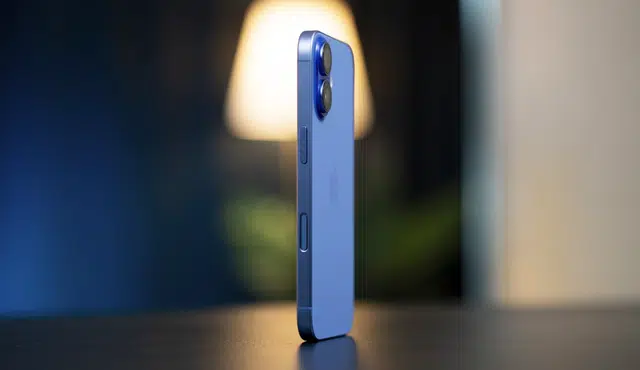
Planning to sell your used iPhone? Before you hand it over or ship it out, there are a few important steps that can protect your personal data, maximize your payout, and make the transaction go smoothly. Here’s exactly what to do before selling your iPhone.
Clean the Device and Perform a Factory Reset
Before selling your iPhone, clean both the physical device and its storage.
A clean, well-maintained iPhone makes a better impression and can result in a higher offer. More importantly, performing a factory reset wipes all personal data from the device — including photos, messages, passwords, and app data — so the new owner starts fresh and your private information stays private.
To factory reset your iPhone:
1. Open Settings
2. Tap General
3. Tap Transfer or Reset iPhone
4. Tap Erase All Content and Settings
5. Follow the on-screen prompts to confirm
Important: Back up all your data to iCloud or your computer before resetting. Once erased, data cannot be recovered from the device.
Sign Out of iCloud, iTunes, and the App Store
Wiping your iPhone’s storage is not the same as signing out of your accounts. If you only erase data without signing out, your Apple ID may still be linked to the device — which can trigger Activation Lock and prevent the new owner from setting it up.
Before selling your iPhone, make sure to:
- Sign out of iCloud (Settings > your name > Sign Out)
- Sign out of iTunes and the App Store
- Deregister your iMessage account from the device
Completing these steps ensures the next owner can activate and use the phone without any issues tied to your accounts.
Locate Your Original Invoice or Proof of Purchase
Selling your iPhone with the original invoice or proof of purchase can increase buyer confidence and the value of your device. It verifies authenticity and gives the new owner documentation they may need if the device ever requires service at an Apple Store or authorized repair center.
If you no longer have the physical receipt, check your email for a digital copy from Apple or the retailer where you purchased the phone.
Make Sure You're Selling at the Right Price
Before listing or shipping your iPhone, research what your model is actually worth. Factors that affect iPhone resale value include:
- Model and storage capacity (e.g., iPhone 15 Pro 256GB vs. 128GB)
- Condition (screen, body, battery health)
- Accessories included (original box, charger, cable)
- Proof of purchase
To avoid lowball negotiations and get a fair, transparent offer, consider selling through a certified buyback platform like Gizmogo. Gizmogo accepts iPhones in all conditions — from like-new to cracked — and provides instant quotes with free shipping. No haggling, no uncertainty.
Frequently Asked Questions
What should I do before selling my iPhone?
Back up your data, perform a factory reset, sign out of iCloud and the App Store, deregister iMessage, and verify you’re getting a fair price for your model and condition.
Do I need to sign out of iCloud before selling my iPhone?
Yes. Signing out of iCloud removes Activation Lock, which is required before the new owner can set up the device. Failing to do so can make the phone unusable for the buyer.
Does wiping an iPhone sign you out of your accounts?
Not automatically. You should manually sign out of iCloud, iTunes, and the App Store before or during the erase process to ensure your accounts are fully unlinked.
Does having the original invoice increase iPhone resale value?
Yes. Proof of purchase verifies authenticity and can make buyers more confident, potentially resulting in a higher offer.
Where is the best place to sell a used iPhone?
A certified buyback platform like Gizmogo offers instant quotes, free shipping, and fair payouts for iPhones in any condition — including older models like the iPhone 11 or iPhone 12.
Ready to sell? Get an instant quote for your iPhone at Gizmogo — free shipping, fast payment, no hassle.
FREE SHIPPING