

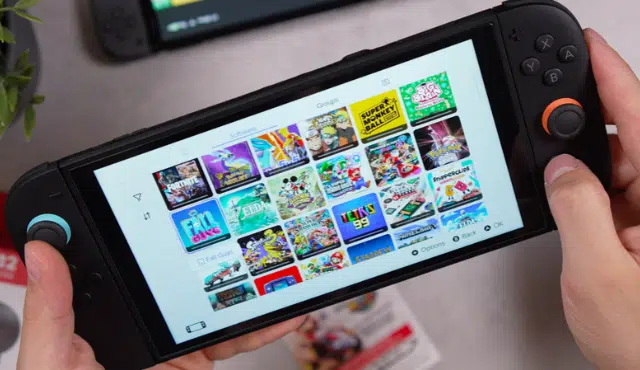
When you sell a Switch 2, your digital purchases stay with your Nintendo Account, and only the console, the physical cards, and the accessories change hands. Installed downloads do not add resale value, and a buyer cannot play anything tied to your account after you reset the system.
Game-key cards sit in the middle. They are physical, they can be handed to someone else, and they do not need a Nintendo Account to download the game. That makes them easy to sell by themselves or include in a bundle, as long as you understand what the card actually holds.
Getting this right protects your money and your account. A few minutes of prep keeps your saves, your payment details, and your login out of a stranger’s hands.
What Can You Keep, Lend, or Sell From Your Game Library?
Your digital purchases stay with your account, while regular cartridges and game-key cards are physical items you can sell or lend. Each format follows different rules, so it helps to sort your library before you list anything.
How Do Game-Key Cards Work, and Are They Account-Bound?
A game-key card does not hold the full game. It is the key that lets you download the game over the internet, and a Nintendo Account is not required to download the game data.
That means the card is not account-bound. You insert the card, follow the HOME Menu prompts, and the download begins. Once the game is installed, you start it like any physical card.
The card must stay in the console to play. Pull it out, and the game will not launch.
When Do Downloads and Offline Play Require Internet Access?
You need an internet connection to download the game, and after that the game can start without one. Nintendo says the connection is only required when you launch the game for the first time.
Storage matters too. The download needs enough free space in system memory or on a microSD Express card, and the packaging lists the amount. Online features inside a particular game may still need a connection, so check that title’s details.
How Do Game-Key Cards Differ From Regular Cartridges and Virtual Game Cards?
A regular Switch 2 game card holds the full game. A game-key card holds only the key, so the game data lives on your console after you download it.
Virtual game cards are a different thing: they are digital. With them, you can move games between two consoles linked to the same Nintendo Account or lend them to family group members. They cannot be sold, because nothing physical exists.
Format | Full game on card | Account needed to play | Can be sold |
Regular game card | Yes | No | Yes |
Game-key card | No (download required) | No | Yes |
Virtual game card | Not physical | Yes | No |
Can You Sell or Lend a Card After Downloading Its Game?
Yes, you can sell or lend a game-key card after downloading. The card works in any Switch 2 and the buyer downloads the game to their own system.
Keep one catch in mind: whoever holds the card can play, and the console that holds the download needs the card inserted. If you lend the card out, you lose access to your installed copy until it returns. If you sell it, your installed download becomes unusable, so delete it first or plan to keep playing something else.
How Do You Prepare Your Console for Sale and Check Its Value?
Back up what you can, unlink your account, pull your storage, and initialize the system, then price it against recent sales. Do the steps in that order so nothing important is lost.
Why Doesn’t Your Digital Library Increase the Console’s Resale Value?
Digital purchases belong to your Nintendo Account, not to the hardware. Once you initialize the console, every account, game, and save is wiped, so a buyer starts with an empty system.
A big digital library is still yours. You can redownload those titles on your next Switch 2 by signing in to the same account. Physical cards and original accessories are what add value to a sale.
What Is a Used Switch 2 Worth in 2026?
Used prices shift with condition, included accessories, and the type of sale. Completed sales on marketplaces show what buyers actually paid, asking prices show only what sellers hope for, and cash offers from buyback companies sit below both because the buyer takes on resale work.
Look up sold listings from the past few weeks for the same model and bundle, then compare. A console with its original dock, charger, and cable should land closer to the top of that range than a bare unit with scratches.
How Do You Preserve Saves, Deregister the Console, and Reset It Safely?
Start with saves. A Nintendo Switch Online membership lets you upload save data to the cloud, though not every game supports it. Cloud saves stay on Nintendo’s servers for 180 days after a membership ends.
Next, unlink the console from your virtual game cards and remove the microSD Express card. Games downloaded to a microSD card will not work on a different system, so you will redownload them later.
Then reset. Run Initialize Console under System Settings > System > Formatting Options. If a Parental Controls PIN is set, you will need it. Eject any cards before you hand the console over.
Should You Sell Physical Game-Key Cards Separately or Include Them?
Sell popular titles separately and include low-demand ones as a sweetener. Nintendo games hold their value well, and selling games apart from the console usually returns more cash than bundling them.
If you do include a game-key card, say so in the listing and tell the buyer the game must be downloaded, with the required free space shown on the packaging. That keeps expectations clear and avoids disputes.
How Can You Get a Cash Offer From Gizmogo After Resetting?
Once your console is reset, Gizmogo offers a straightforward way to turn it into cash. You describe the model and its condition, receive a quote, ship the console, and get paid after the unit is checked against your description.
Gizmogo also advises that you delete all personal information and accounts before selling, which matches the reset steps above. Compare the quote with recent completed sales so you know whether the convenience fits your goal.