

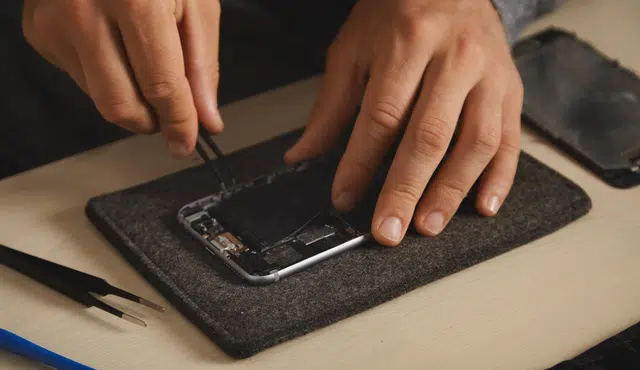
You can get more money by repairing some faults, but not every fix pays off — small repairs like a weak battery often raise trade-in value enough to cover costs, while big jobs such as screen replacements frequently leave you out of pocket. If you want the highest net return, weigh the repair cost against the specific model’s value change rather than assuming any repair will boost your payout.
This article walks through whether repairing your iPhone before selling it makes financial sense, what types of repairs tend to help or hurt, and the key factors you should weigh so you can make a clear, profitable choice.
Should You Repair Your iPhone Before Selling It?
Repairs can change what buyers or trade-in services will pay, but the financial outcome depends on the specific repair, model, and repair cost. Small fixes like batteries or ports often increase value more than they cost; large repairs such as high-end screen replacements frequently do not.
Impact of Repairs on Trade-In Value
A repaired component can move your phone from “faulty” to “good,” which increases the trade-in price. For many recent models the incremental value gained can be modest; for example, some iPhone repairs yield only a few dollars more, while certain battery or camera fixes add over a hundred dollars on newer Pro models.
Trade-in vendors and carriers classify condition strictly—terms like “mint,” “good,” and “faulty” matter. If a repair shifts the condition category, you’ll likely see the largest dollar change. If the repair cost approaches or exceeds the value jump, you lose money.
Check current quotes from multiple buyers before deciding. Use at least one specialist trade-in calculator and one independent reseller to compare offers.
Cost-Benefit Analysis by iPhone Model
Your model drives the math. Newer, higher-capacity iPhones like Pro and Pro Max models often recover more post-repair because their base trade-in values are higher. A battery or camera fix on a current flagship iPhone can add $100–$230 in value for comparatively low repair costs.
Older models and budget iPhones rarely recover repair costs. If your iPhone is several generations old or already low-value, a $100 screen repair rarely yields a net gain when you sell or trade it.
Factor in storage size and model year. Higher-capacity iPhones and the latest-generation models (including iPhone 16 series) tend to produce larger net gains from targeted repairs than older models.
Types of Repairs That Add Value
Priority repairs that commonly add value: battery replacement, rear camera fixes, and charging-port repairs. These restore core functionality and often move a phone into a higher condition tier for trade-in assessments.
Low-return repairs: full display replacements on modern iPhones with expensive OLED or Ceramic Shield assemblies. Those repairs can cost hundreds and often do not produce equal increases in trade-in offers. Rear glass repairs sometimes add little value because buyers assess functionality over appearance.
Always get an itemized repair quote. Compare that cost to the exact increase in trade-in price for your specific iPhone model and storage size before committing.
When Selling Without Repair Makes More Sense
Skip repairs when the cheapest repair cost is greater than the increase in trade-in price. For example, if a screen replacement costs $300 but the trade-in value only rises $140, selling as-is is smarter.
Also avoid repairs if you need to sell quickly or if the phone’s software support is limited. Older models and phones near end-of-life often depreciate faster than repair returns justify.
If you prefer maximum net cash, get multiple trade-in offers for the unrepaired phone and compare them to post-repair offers. That direct comparison tells you whether repairing first will actually put more money in your pocket.
Relevant further reading: compare trade-in repair economics on SellCell for detailed model-specific examples and numbers.
Factors to Weigh Before Deciding on Repairs
Repairing before sale can raise your iPhone’s appeal, simplify the listing, and often increase resale value more than the repair cost. Focus on visible defects, update compatibility, common fix prices, and whether you can sell faster or for more after fixing issues.
Effect of Device Condition on Resale
Buyers judge condition first. A clean display, intact glass, and functional Face ID/Touch ID justify higher asking prices and faster sales. Scratches and a scuffed housing reduce offers; a cracked screen can cut resale value by hundreds depending on model.
Functional components matter: cameras, speakers, charging port, and buttons influence buyer confidence. If the charging port is flaky, include that in the listing or repair it — buyers pay a premium for a phone that charges reliably. Replaceable cosmetic parts (battery, screen) often return more value than their cost.
Document repairs with receipts and note whether Apple parts or OEM-equivalents were used. That transparency supports higher bids and reduces haggling.
Compatibility With Latest iOS Updates
Check whether your model supports the latest iOS. Devices that still receive iOS updates hold value longer and attract more buyers who expect recent security and feature support.
If your iPhone can run the latest iOS, mention the installed version in the listing and verify feature functionality after any repair. For older models that no longer get updates, repairs may yield diminishing returns; buyers may prioritize price over condition.
Also confirm that repairs (especially third-party screen replacements) didn’t disable software features. Non-genuine screen or battery swaps can trigger warnings or break True Tone, Face ID, or update compatibility. Use authorized service when those features materially affect resale value.
Repair Costs for Common Issues
Compare typical repair prices to expected resale lift before you commit. Common costs (approximate and model-dependent):
- Screen replacement: $80–$350
- Battery replacement: $50–$100
- Charging port repair: $60–$180
- Camera or speaker repair: $80–$250
If a repair costs less than ~30–40% of the expected increase in resale price, it often makes financial sense. Prioritize fixes buyers notice immediately: screen, battery health (>80% preferred), and a working charging port. These improvements reduce returns and increase sale speed.
Keep receipts and note whether parts were OEM. A modest outlay for an Apple battery replacement or certified screen typically returns more buyer trust than a low-cost third-party fix.
Timing Your Sale and Considering Upgrades
Timing affects price. Selling soon after a major iOS release or before a new iPhone launch can boost demand for recent models. Conversely, post-launch you may face tougher competition and lower prices.
If you plan to upgrade to a newer model, sell the old phone while its value is highest—typically within 6–18 months of its release. If your device is near end-of-support for iOS, accelerate the sale; repair value declines when buyers expect no future updates.
When weighing repairs against upgrading, price out a trade-in or private sale both with and without repairs. Sometimes trading in an unrepaired phone yields better net cash after factoring upgrade promotions.