

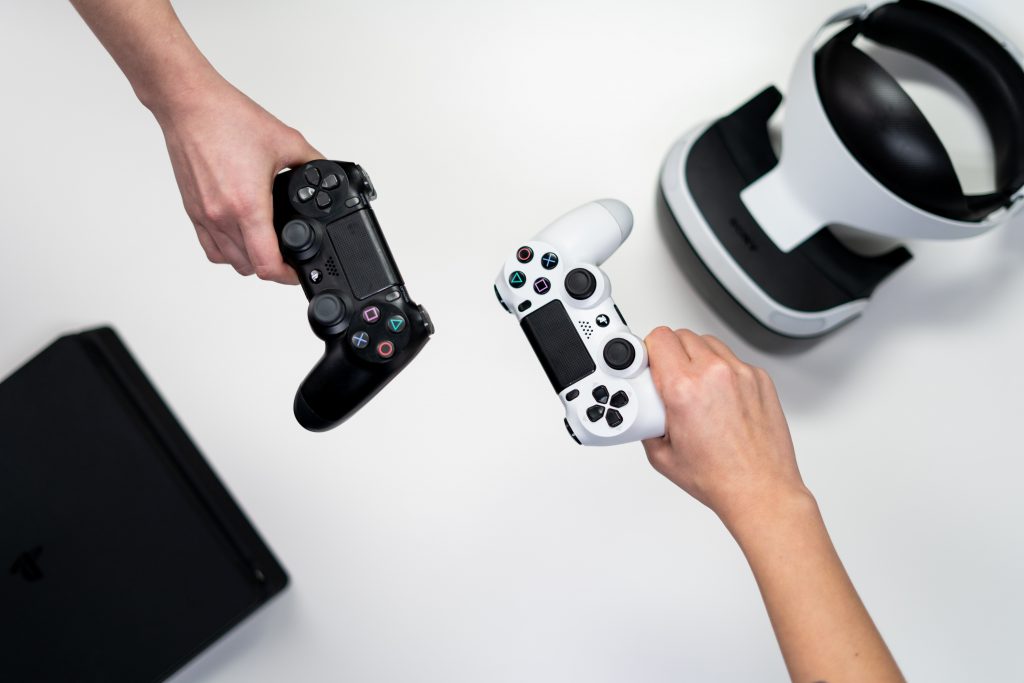
Whether you’re upgrading to a newer system or just clearing space, your old gaming console has real value — and how much you get for it depends on how well you prepare. This guide walks through everything you need to do to assess, price, list, and sell your gaming console online.
Determine Your Console's Condition
Before setting a price or writing a listing, do an honest assessment of your console’s physical and functional condition. Buyers expect some wear on a used device, but undisclosed damage can lead to disputes, returns, or lowball offers after the fact.
What to check:
- Casing for scratches, dents, or cracks
- All buttons and triggers for responsiveness
- Disc trays, card slots, or other mechanisms for smooth operation
- Cables and cords for fraying or cracking
- HDMI and USB ports for damage or debris
Be specific and honest in your listing. Transparency builds buyer confidence and reduces the chance of a disputed sale.
Identify Your Console's Specifications
Knowing your exact make, model, and specs is essential for accurate pricing and a compelling listing. Buyers searching online filter by model — a vague listing gets skipped.
How to find your console’s specs:
- Check the original box if you still have it
- Look for a label on the bottom or back of the unit
- Visit the manufacturer’s website and look up your model:
- Microsoft (Xbox): xbox.com
- Sony (PlayStation): playstation.com
- Nintendo (Switch): nintendo.com
Most manufacturer sites also offer downloadable manuals, which can help you verify storage capacity, connectivity options, and included accessories.
Research Current Resale Prices
Once you know your console’s model and condition, research what similar units are actually selling for — not just listed for.
Where to check prices:
- Refurbished sections on manufacturer websites
- eBay (filter by “sold listings” to see actual sale prices, not asking prices)
- Buyback platforms like Gizmogo, which provide instant quotes based on model and condition
This gives you a realistic price range before you commit to a platform or listing price.
Decide Where to Sell
Not every selling platform is right for every situation. Here’s a breakdown of your main options:
Online Marketplaces
Platforms like eBay, Craigslist, Facebook Marketplace, and Kijiji let you set your own price and negotiate directly with buyers. This can result in a higher payout but requires more time, effort, and comes with the risk of no-shows, scams, or payment issues.
Local Game Stores
Some local retailers and gaming stores buy used consoles for cash. Payouts are typically lower than online sales, but the transaction is immediate and requires no shipping.
Buyback and Trade-In Platforms
Companies like Gizmogo, Amazon, and Best Buy buy consoles directly. Amazon and Best Buy offer store credit, which works well if you’re putting the money toward a new purchase. Gizmogo pays cash and offers several advantages worth considering:
- Free shipping: Gizmogo provides a prepaid shipping label so you can send your console at no cost.
- Instant quote: Get an estimated cash value upfront before committing to the sale.
- Fast payment: Payment is sent within 24 hours of offer acceptance.
- Data protection: Any personal data stored on the device is wiped during the inspection process.
- Accepts multiple categories: Gizmogo also buys phones, laptops, tablets, cameras, and more — so you can send multiple devices in one shipment.
Get a free instant quote for your gaming console at Gizmogo →
Clean Your Console Thoroughly
A clean console sells faster and for more money. Before photographing or shipping your device, clean it carefully.
What to use:
- Canned compressed air for vents, ports, and disc trays
- Microfiber cloth for the exterior casing and screen (if applicable)
- Appropriate cleaning solution for stubborn grime
The goal is to get the console as close to its original appearance as possible. Dust and grime don’t affect hardware performance, but they do affect buyer perception — and buyer perception affects offers.
Photograph Your Console
If you’re selling on a marketplace, quality photos make a significant difference in how quickly your listing moves and what price you command.
Photography tips:
- Use natural light or a well-lit space
- Shoot from multiple angles — front, back, sides, ports, and any visible wear
- Include one photo with everything in the frame: console, controllers, cables, games, and original box if available
- Use the highest resolution setting your camera or phone offers
Clear, honest photos reduce buyer hesitation and set accurate expectations about the console’s condition.
Write a Clear, Complete Listing
If listing on a marketplace, your description should cover:
- Console make, model, and storage capacity
- Condition (honest and specific)
- Everything included in the sale (controllers, cables, games, box)
- Whether the console is region-locked or modified
- Your preferred payment method and shipping policy
A thorough listing attracts serious buyers and filters out time-wasters.
Frequently Asked Questions
What gaming consoles can I sell online?
Nintendo Switch, Sony PlayStation (PS4, PS5), and Microsoft Xbox (Series S, Series X, and older models) are all widely sold on the secondary market and accepted by most buyback platforms including Gizmogo.
What factors affect a gaming console’s resale value?
Age, model, condition, included accessories, and demand all affect price. Newer flagship models in good condition with original accessories fetch the highest offers.
Is it worth cleaning a gaming console before selling?
Yes. A visibly clean console creates a better first impression, supports a higher asking price, and speeds up inspection when selling to a buyback platform.
Should I include the original box when selling my gaming console?
Yes, if you have it. The original box adds perceived value, particularly when selling directly to an individual buyer.
Where is the easiest place to sell a gaming console online?
For a fast, hassle-free experience, Gizmogo offers instant quotes, free prepaid shipping, and payment within 24 hours of offer acceptance — no negotiating or listing required.
Do I need to wipe my data before selling a gaming console?
Yes. Sign out of your accounts and perform a factory reset before selling. If you use Gizmogo, they also wipe any remaining personal data during inspection as an added safeguard.