

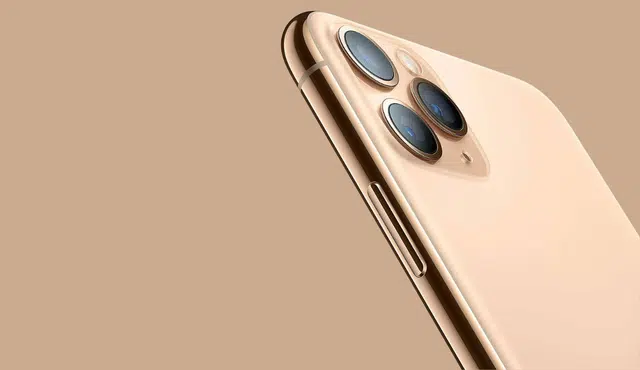
When you sell your iPhone 11 Pro Max, Gizmogo provides an online option to request a quote, ship your device, and receive payment after inspection. You can turn an eligible Apple iPhone 11 Pro Max into cash by submitting its condition and storage details for a Gizmogo offer.
Your cash offer can vary with the phone’s condition, storage capacity, carrier status, and current market demand. Preparing the device, describing it accurately, and understanding the inspection process can help you sell with confidence.
How the Gizmogo Selling Process Works
You provide accurate device details, remove your personal information, ship the phone with the provided label, and wait for inspection. Your final payment depends on whether the iPhone matches the condition and specifications in your quote.
Get an Instant Quote for Your Device
Start by selecting your iPhone 11 Pro Max model and entering its storage capacity, carrier status, and physical condition. State whether the phone has screen damage, housing wear, battery issues, functional defects, or an activation lock.
An iPhone 11 Pro Max instant quote reflects the details you submit. Give an accurate condition description, since undisclosed damage or a locked device can change the offer after inspection.
Compare the offered amount with the convenience you need. Competitive offers may vary by storage size, demand, carrier compatibility, and whether the phone works fully. Including accessories is optional, but provide only items you intend to ship.
Prepare Your iPhone and Complete a Factory Reset
Back up anything you want to keep before you erase the phone. Use iCloud or a computer backup to save photos, messages, app data, and other files that will not remain on the device after a factory reset.
Then sign out of your Apple Account and turn off Find My iPhone. This step removes Activation Lock, which lets the buyer inspect and process the device without access restrictions.
Complete the reset through Settings → General → Transfer or Reset iPhone → Erase All Content and Settings. Remove your SIM card unless the shipping instructions specifically tell you to include it, and do not send personal items with the phone.
Use a Free Prepaid Shipping Label
After accepting the quote, follow the provided instructions to print and use the prepaid shipping label. The label supports free shipping, so you should not need to pay standard carrier postage for the shipment.
Pack the iPhone 11 Pro Max in a sturdy box with protective padding. Keep it from moving inside the package, especially if it has a cracked screen or damaged camera glass that could worsen during transit.
Check whether the label includes insured shipping and retain the carrier receipt or tracking number. Tracking helps you confirm delivery and gives you a record of when Gizmogo receives the device.
Inspection, Offer Confirmation, and Fast Payment
Gizmogo inspects the iPhone after delivery and compares it with your submitted details. The review typically checks the model, storage, IMEI status, power function, screen condition, cameras, buttons, ports, battery behavior, and Activation Lock status.
If the device matches your description, the quoted offer can proceed to payment. If it differs, Gizmogo may issue a revised offer for you to accept or decline rather than automatically completing the transaction.
Select an available secure payment option during checkout. Gizmogo lists options such as PayPal, while the availability of Cash App, Zelle, or other quick payment methods may depend on the current checkout choices. Fast payments begin after the inspection and offer confirmation process.
Maximize Value and Sell With Confidence
Your offer depends on the phone’s condition, storage, carrier status, and included items. Protect your data before shipping, describe damage accurately, and check whether current promotional information affects the quoted amount.
Factors That Affect an iPhone 11 Pro Max Offer
When you sell an iPhone 11 Pro Max with Gizmogo, select the exact model details and condition. Storage capacity, carrier compatibility, unlocked status, battery condition, and cosmetic wear can all affect the offer.
A device with a clean display, responsive cameras, working Face ID, and functional buttons generally receives a higher valuation than one with faults. Include the charging cable, box, or other original accessories if the quote form permits them, but do not assume accessories automatically increase every offer.
Before accepting, compare the quote with your phone’s actual condition. Do not describe a cracked screen, liquid damage, or a weak battery as normal wear; an inspection may lead to a revised offer.
Detail to check | Why it matters |
Storage capacity | Higher-capacity models may have different resale values. |
Activation Lock | You must remove it before transfer. |
Carrier status | An unlocked used iPhone may appeal to more buyers. |
Physical condition | Scratches, dents, and display damage affect condition grading. |
Selling Damaged Devices With a Cracked Screen
You can often sell a broken phone even when it has a cracked screen, provided you accurately report the damage. Screen cracks range from surface damage that leaves touch controls working to deep breaks that affect the display, cameras, or Face ID.
Test the phone before getting a quote. Check whether it powers on, charges, connects to Wi-Fi, records audio, takes photos, and responds across the entire screen.
List faults clearly, including black spots, flickering, dead pixels, bent housing, water exposure, or a battery that drains unusually fast. A transparent description reduces the chance of an adjusted offer after inspection.
Avoid paying for a repair solely to sell your old iPhone unless you first compare the repair cost with the likely increase in resale value. For some devices, selling as damaged makes more financial sense than replacing an expensive display.
Data Safety, Responsible Reuse, and Recycling
Back up your data to iCloud or a computer before you sell used iPhone hardware. Then unpair your Apple Watch, sign out of your Apple ID, turn off Find My, and erase the device through Settings > General > Transfer or Reset iPhone > Erase All Content and Settings.
Removing Activation Lock is essential. A buyer generally cannot activate a phone that remains linked to your Apple account, and the transaction may be delayed until you remove it.
Take out your physical SIM card and retain any eSIM transfer information you need for your next device. If you are moving within the Apple ecosystem, confirm that your photos, messages, authenticator apps, and banking access work on the replacement phone before wiping the old one.
Used devices that remain functional may be refurbished and reused, while devices beyond practical repair can enter recycling channels. Review the buyer’s current handling policies and independent feedback, including Trustpilot where available, rather than relying only on promotional information or coupons.
Other Apple and Smartphone Devices You Can Sell
If you are replacing more than one device, you may be able to sell multiple iPhones in separate transactions. This can include older iPhone models such as the iPhone 15, iPhone 14, iPhone 13, iPhone 12, iPhone X, iPhone 8, iPhone 7, iPhone 6, iPhone 5, and iPhone SE, subject to the buyer’s current acceptance list.
Confirm each model’s generation, capacity, carrier status, and condition individually. An iPhone 11 is not interchangeable with an iPhone 11 Pro Max, and a quote for one model does not apply to another.
You may also find offers for an Apple Watch, Samsung Galaxy, Google Pixel, and other used devices. Check the product-specific eligibility page before shipping, especially for smartwatches with activation locks, Android phones still linked to Google accounts, or devices with financed balances.
Keep each device’s accessories and identifiers separate. This prevents serial-number mix-ups and helps you match every final payment to the correct phone.